
Create a database and database user
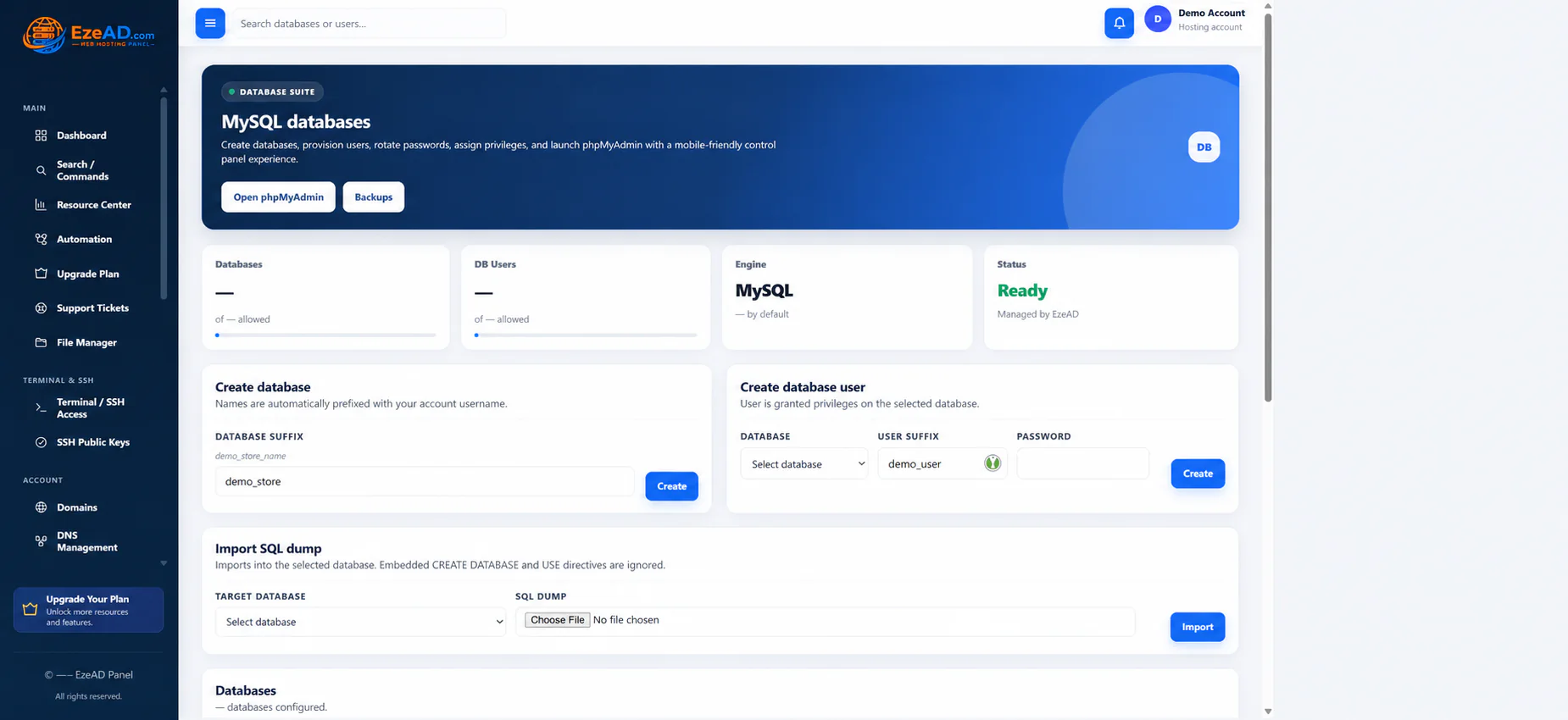
Create both the database and its scoped application login.
Before you begin
Available database capacity and a strong password.
Use the controls offered by your installed version and account permissions. This guide describes the workflow; it does not grant additional access.
Follow the steps
- Create a database using the requested suffix in Databases.
- Select it when creating a database user.
- Set the user suffix and strong password.
- Copy full resulting names, including account prefixes, into private application configuration.
- Test a connection using provider-supplied host details.
Check the result
The application connects with the intended user and permissions.
If something goes wrong
Database passwords differ from panel passwords. Never grant global root access to make a tenant application work.
Prepare useful details for support