
Turn an incident into a clear operational decision.
Bring monitoring evidence, account context, recovery controls and backup history into the work your managed-hosting team does every day.
Explore the workflowEvidence before action.
ObservationAccount and serviceEligible actionVerified resultA customer reports an outage, but the symptom alone does not identify the failing service or the safest action. A useful operations platform helps the team investigate before making a change.
Start with the observation.
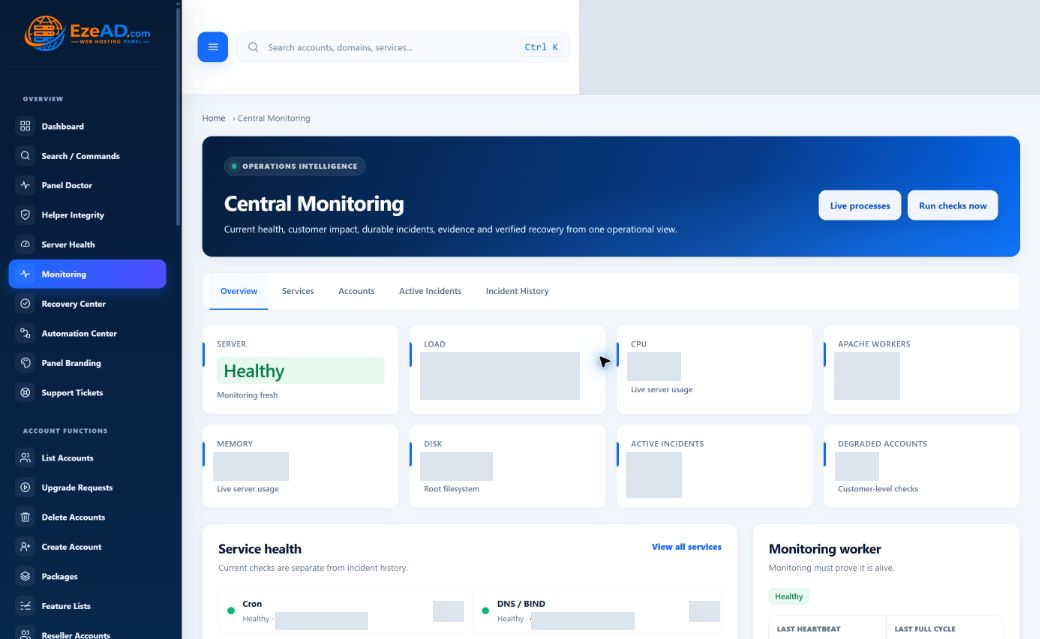
Read the affected check, incident state, recent evidence and time. Connect the symptom to the website, service and hosting account where that context is available.
Central Monitoring and Server Health answer different questions. Monitoring follows checks and incidents; health and process views help investigate current resource pressure. Old observations need a fresh check before a decision.
Choose the smallest supported action.
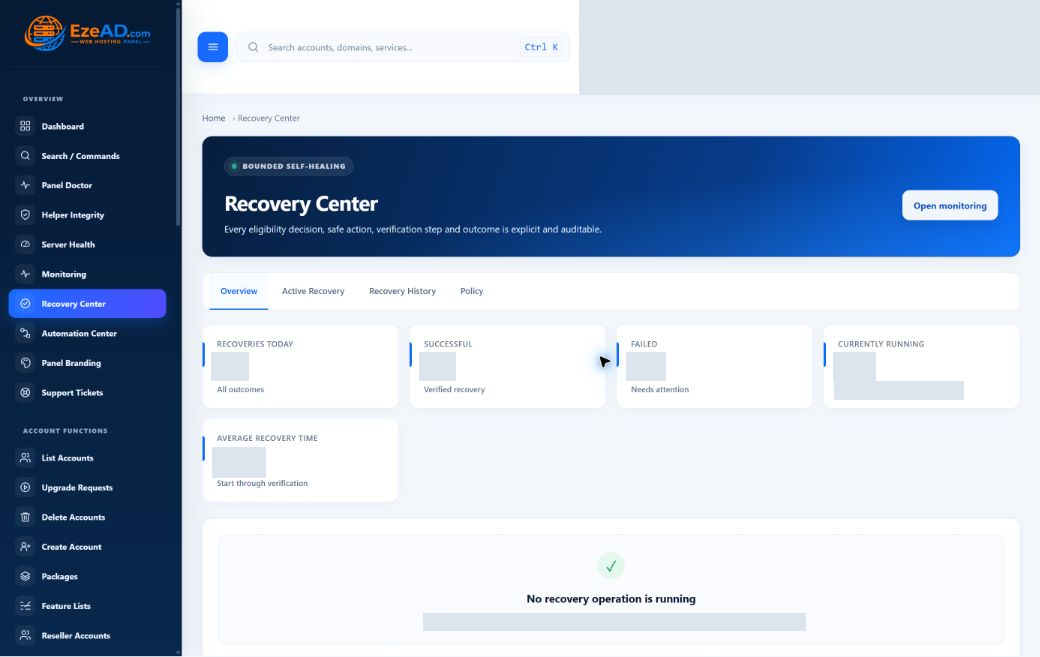
Recovery Center evaluates supported incident and service targets against its policy. Eligibility, permissions, cooldowns and action limits narrow what can run.
Review the target and expected impact. A shared service can affect multiple customers. A blocked action is a reason to investigate the policy or dependency, not to repeat requests until one succeeds.
A connected workflow
- Observe the incident
- Identify the scope
- Review eligibility
- Authorize the action
- Verify and record
Verify the service and the customer outcome.
Follow the action record and verification result after permitted recovery. Retain the evidence that connects the original condition, attempted correction and observed result.
A service process being active does not guarantee a working application. Test the relevant website, certificate, database connection or customer workflow before describing the incident as resolved.
Keep protection close to operations.
Review backup schedules, destination availability and job history as part of the service routine. Current backup work can include website files and database exports, with configured local or S3-compatible destinations.
Archive integrity is different from a working application restore. Plan database recovery separately from the customer file-restore action, and record the recovery coverage your service actually provides.
A practical scenario
Make the next action explainable.
Example: a site reports errors after a PHP change. Review the domain runtime, account workers and recent jobs, then use the relevant supported corrective workflow. Confirm the website response and application behavior afterward.
A service team can explain what it observed, why it acted and what it verified, without promising that every incident can repair itself.
Frequently asked questions
Questions about this solution.
Does managed hosting mean autonomous repair?
No. EzePanel provides supported checks and bounded actions. Recovery depends on eligibility, permissions, policy and verification.
Can I monitor a fleet from one central environment?
Multi-server inventory and fleet-wide operations are future roadmap directions. This page describes current server-local workflows.
Does a completed recovery job prove the website works?
Read the verification evidence and test the affected customer workflow. Job completion and application recovery are not interchangeable.
Explore the connected tools
Plan your next step
Discuss your managed service.
Explore the software plans and commercial launch information, or discuss the requirements of your server and customers.