
Features
One platform.
Every part of hosting.
Manage customers and websites, control server resources, monitor infrastructure, protect workloads, automate operations and recover supported services—all from one control panel.
Installed on your server Two focused workspaces
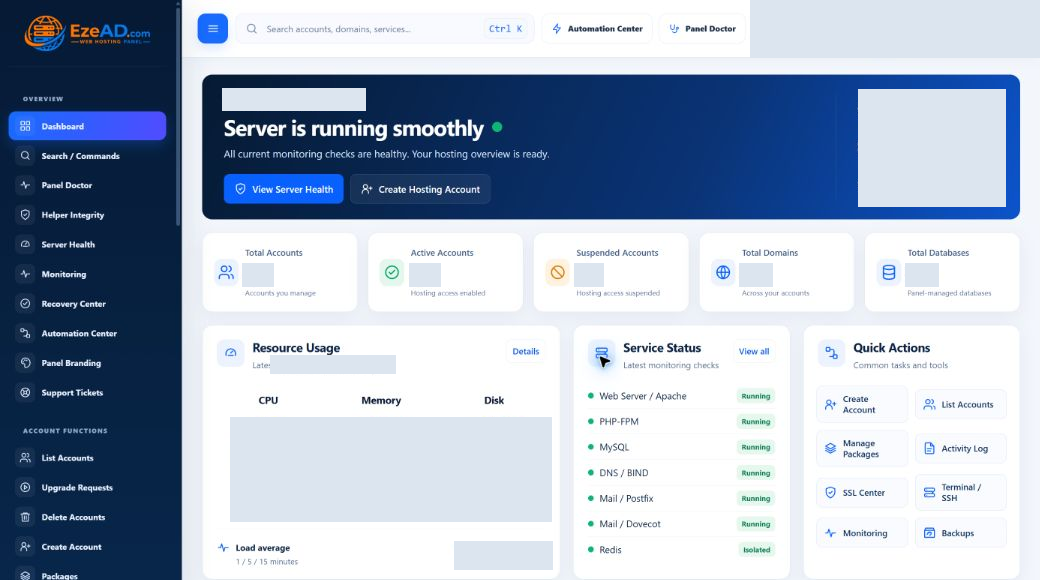
Admin Dashboard Enlarge
Swipe to inspect · tap the image for full context
Two workspaces
Built for administrators and hosting customers.
Server-wide control for your team. Focused self-service for each hosting account.
Administrator workspace
Run the platform. Support the people on it.
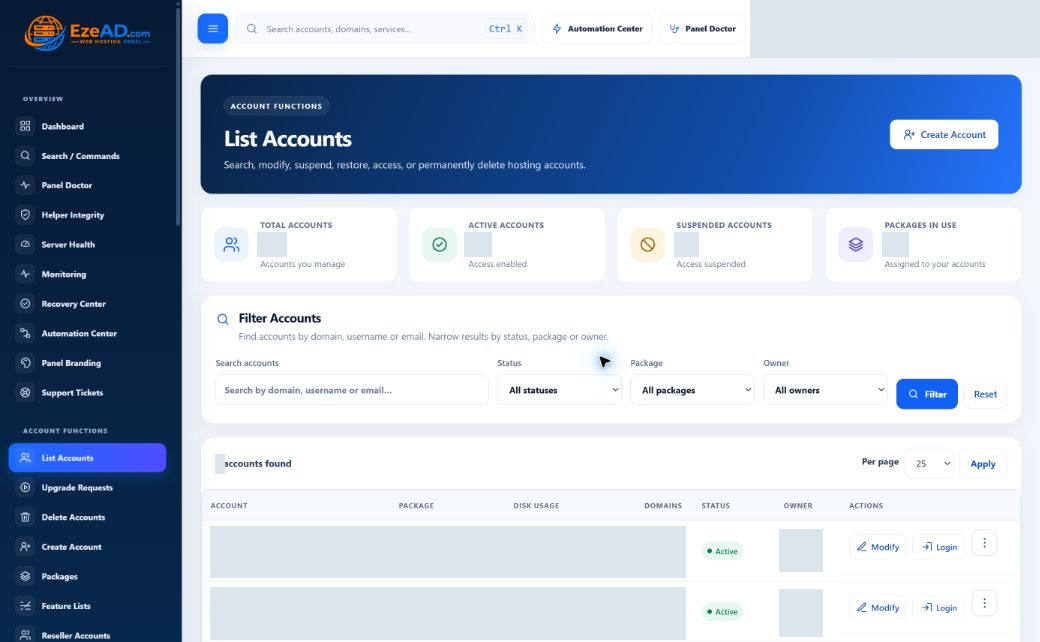
Control accounts, packages, resources and services, then follow server health and operational work from the same workspace.
- Hosting accounts, packages and Feature Lists
- Resource management and PHP-FPM
- Server Health and process visibility
- Monitoring, Recovery and Automation
- Security, backups and reseller delegation
- Support, notifications and branding
List Accounts Enlarge
Swipe to inspect · tap the image for full context
User Dashboard Enlarge
Swipe to inspect · tap the image for full context
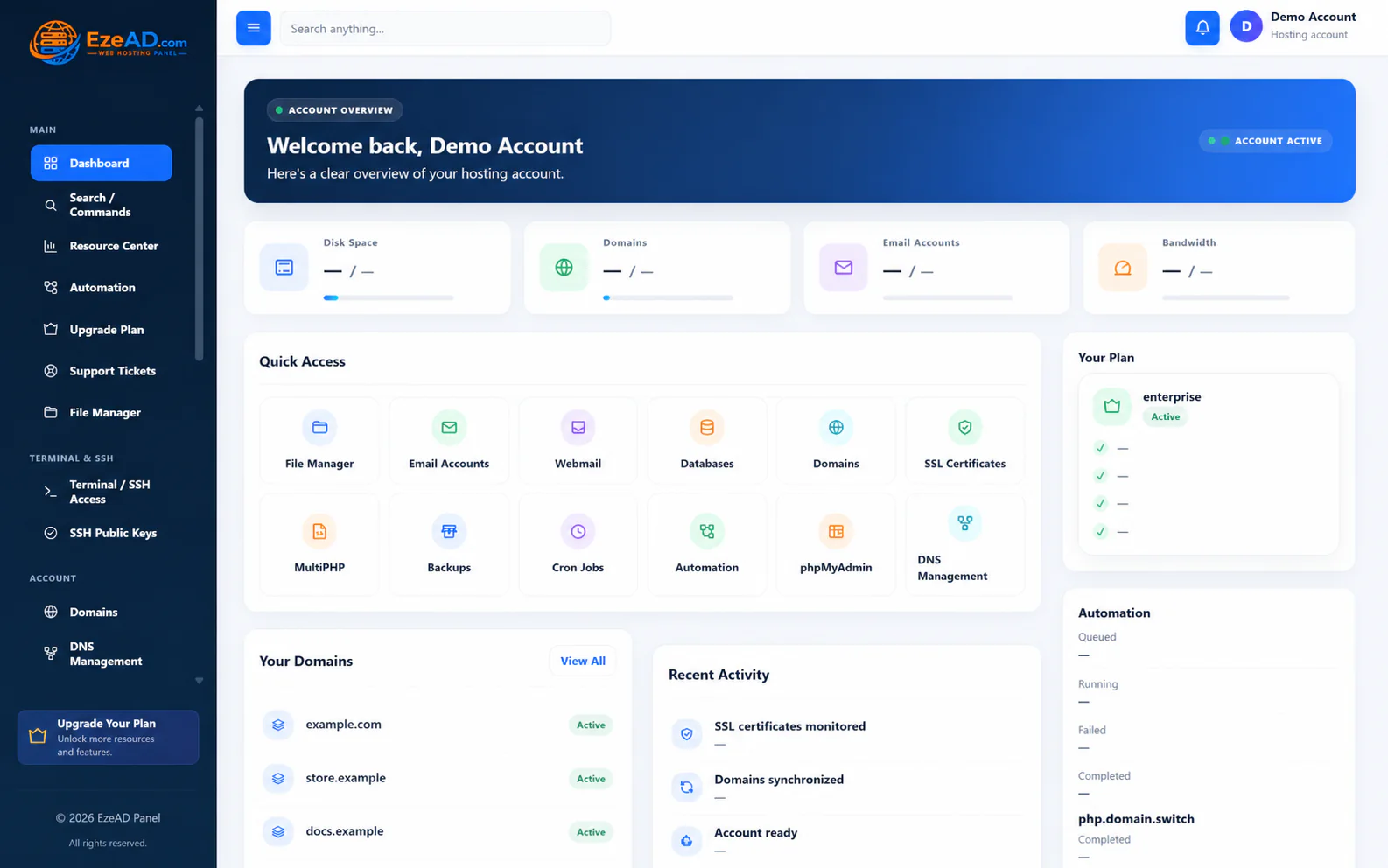
Hosting user workspace
Everyday hosting, without the server-wide complexity.
Give customers the tools to manage their own websites. Their package and permissions determine the features they can use.
- Domains, DNS, SSL and MultiPHP
- Email accounts and webmail
- Databases and phpMyAdmin
- Files, FTP and backups
- Cron, permitted SSH and public keys
- Account security and support
Hosting management
Everything behind a working website.
From the first domain to everyday maintenance: connected tools for websites, email, data, files and access.
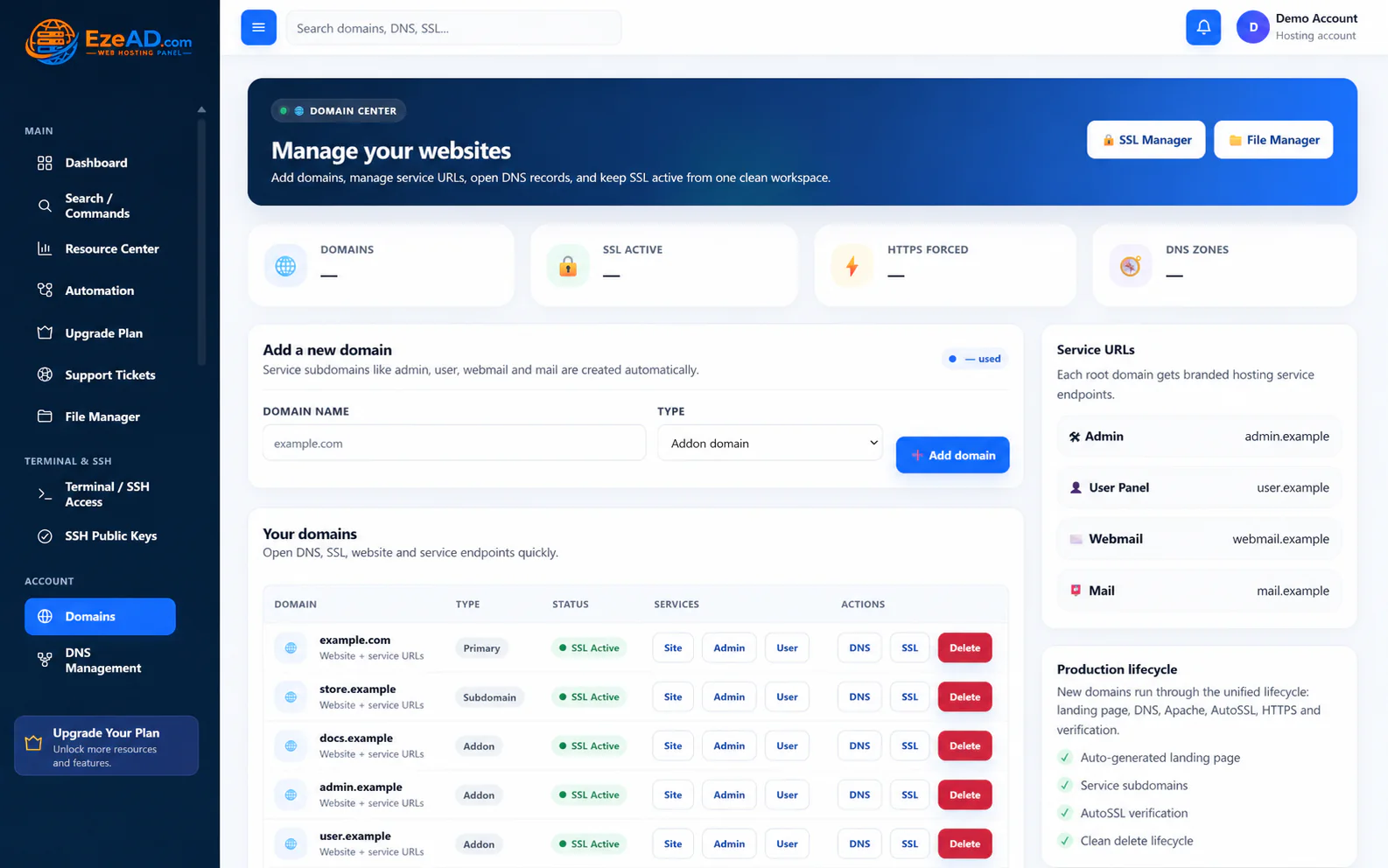
Give every website a clear home.
Manage owned domains and DNS records, review SSL status and move between website and service URLs. Keep domain configuration together instead of hunting through separate tools.
- Domain and DNS management
- SSL / AutoSSL workflows
- Account-scoped website ownership
Domains & DNS Enlarge
Swipe to inspect · tap the image for full context
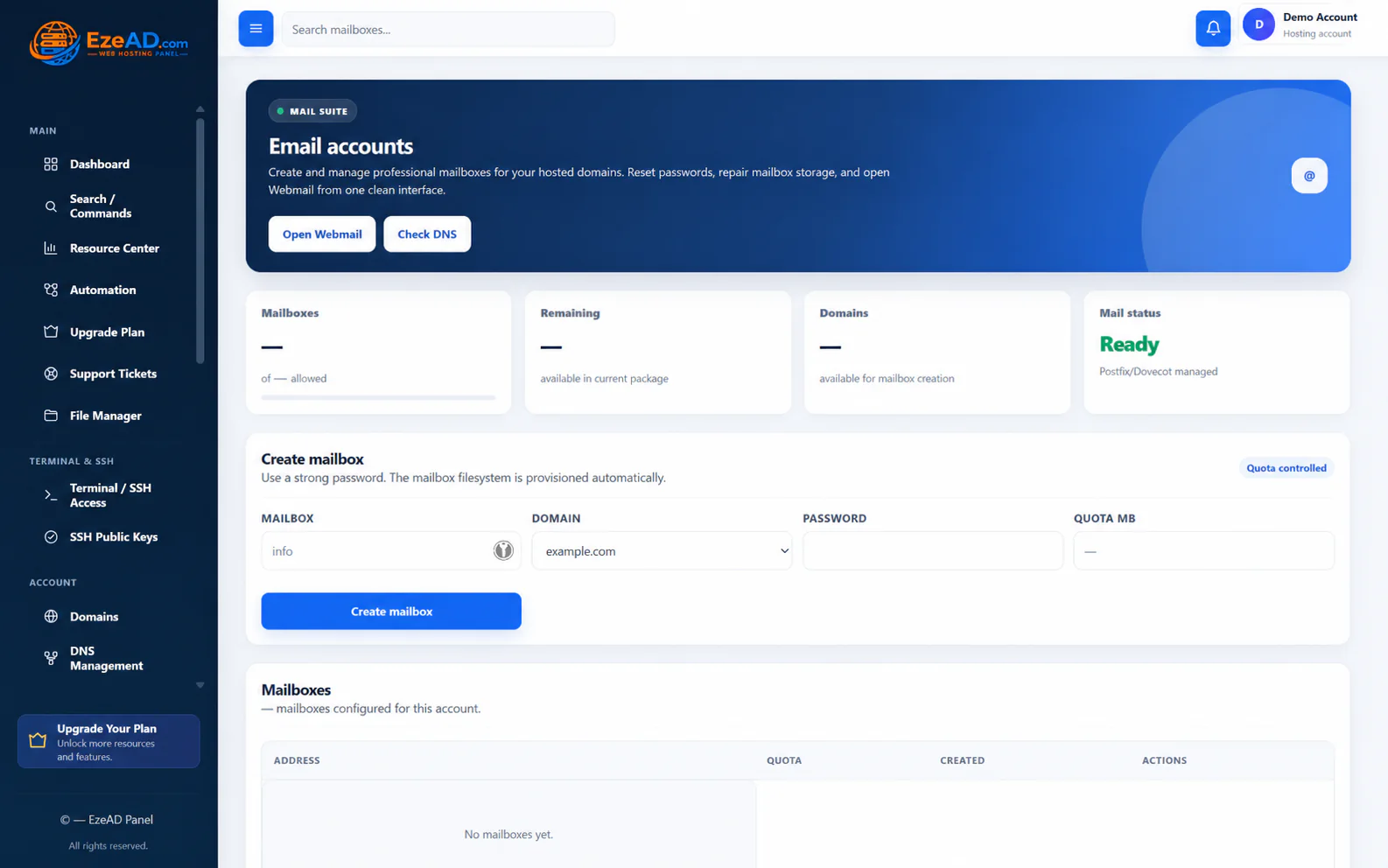
Manage mail where you manage hosting.
Create mailboxes, set quotas and move into webmail. Delivery depends on the configured mail services, DNS records and authentication—not simply creating an address.
- Mailbox creation and password changes
- Mailbox quotas and webmail access
- Related deliverability checks
Email Accounts Enlarge
Swipe to inspect · tap the image for full context
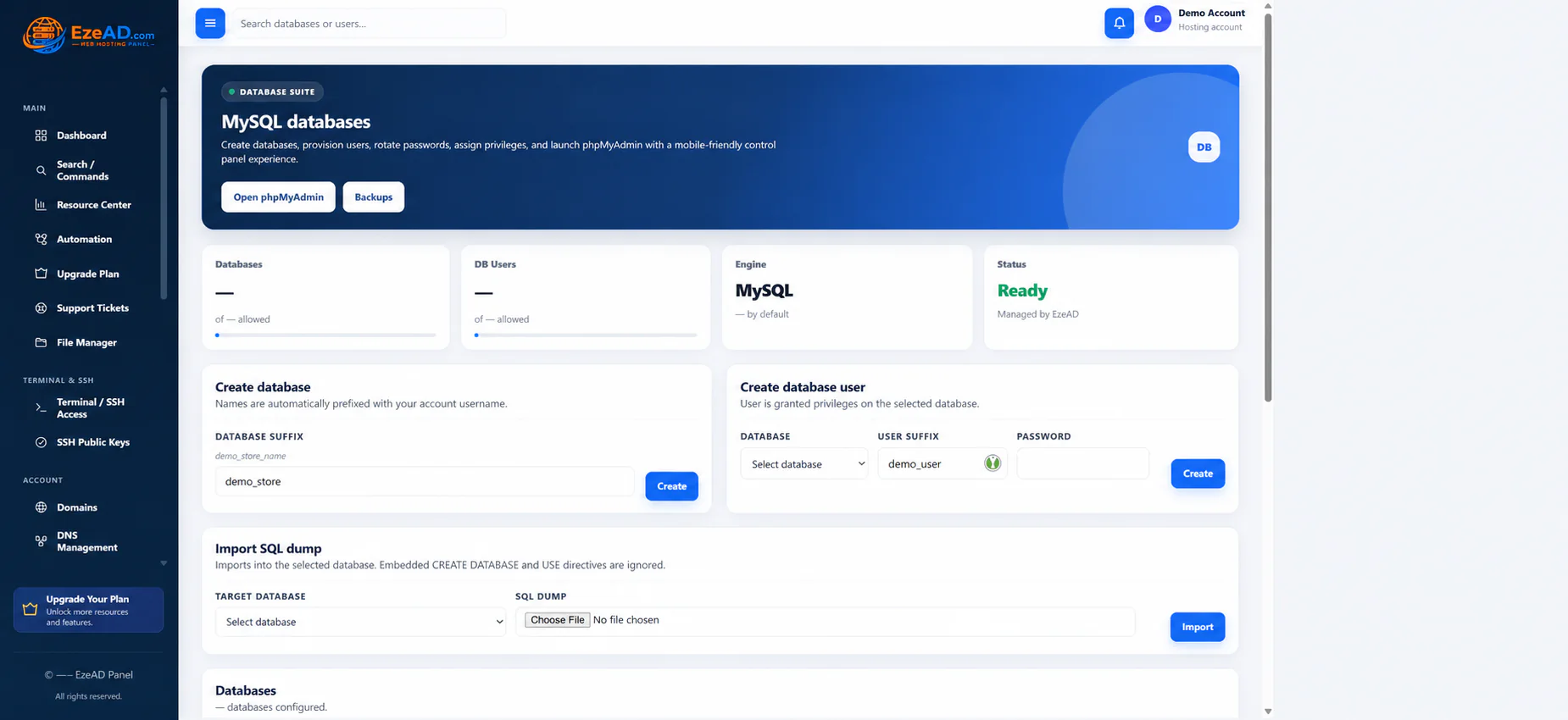
Connect applications to their data.
Create databases and database users, assign access and open phpMyAdmin for permitted tasks. Customer operations remain scoped to the hosting account.
- MySQL databases and users
- Database access and SQL import
- phpMyAdmin entry point
MySQL Databases Enlarge
Swipe to inspect · tap the image for full context
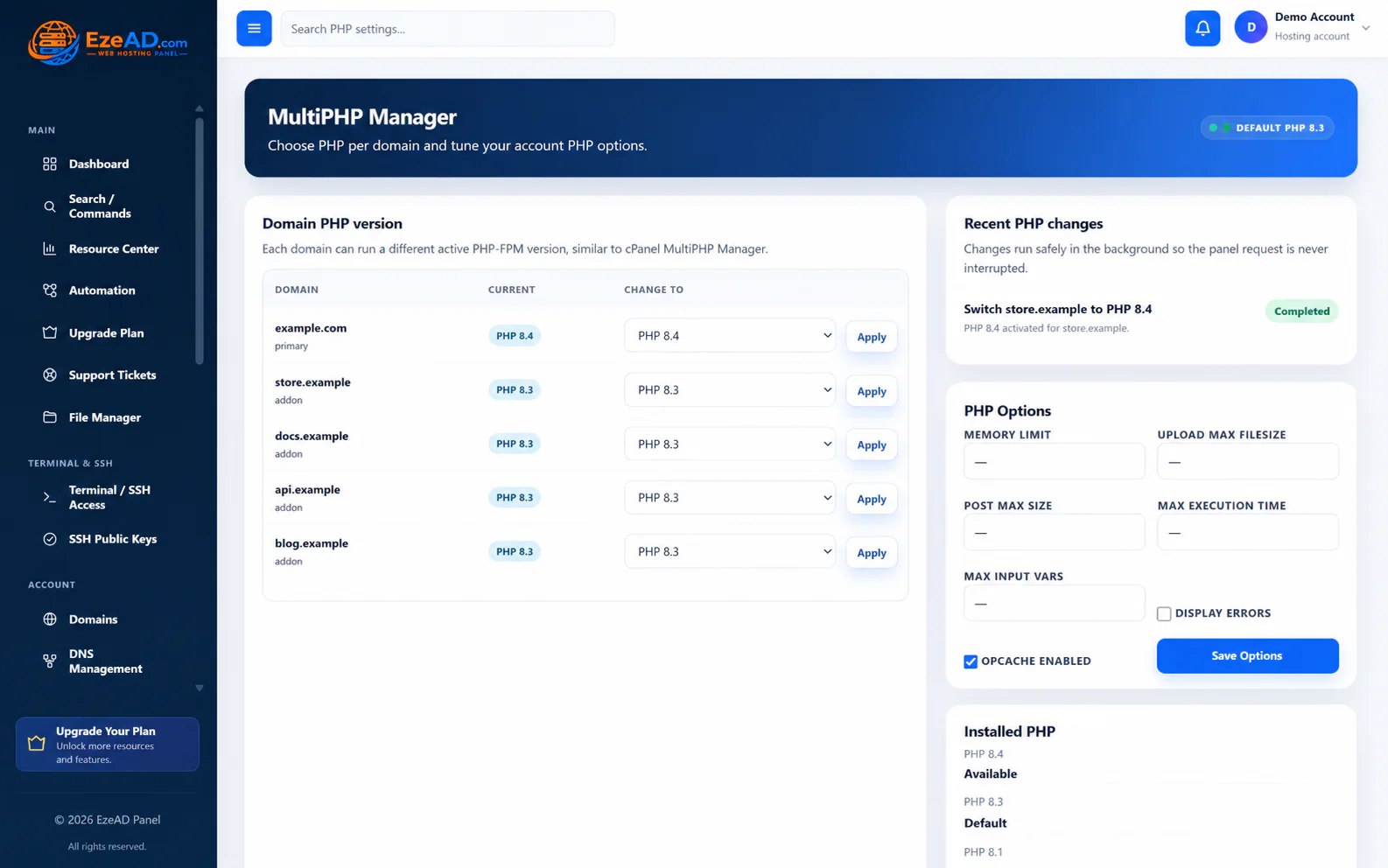
Choose the runtime a website needs.
Use MultiPHP and permitted PHP settings to manage website compatibility. Available versions depend on the server, and changes follow the panel’s runtime workflow.
- Website PHP version selection
- Permitted PHP configuration
- Related PHP-FPM resource policy
MultiPHP Enlarge
Swipe to inspect · tap the image for full context
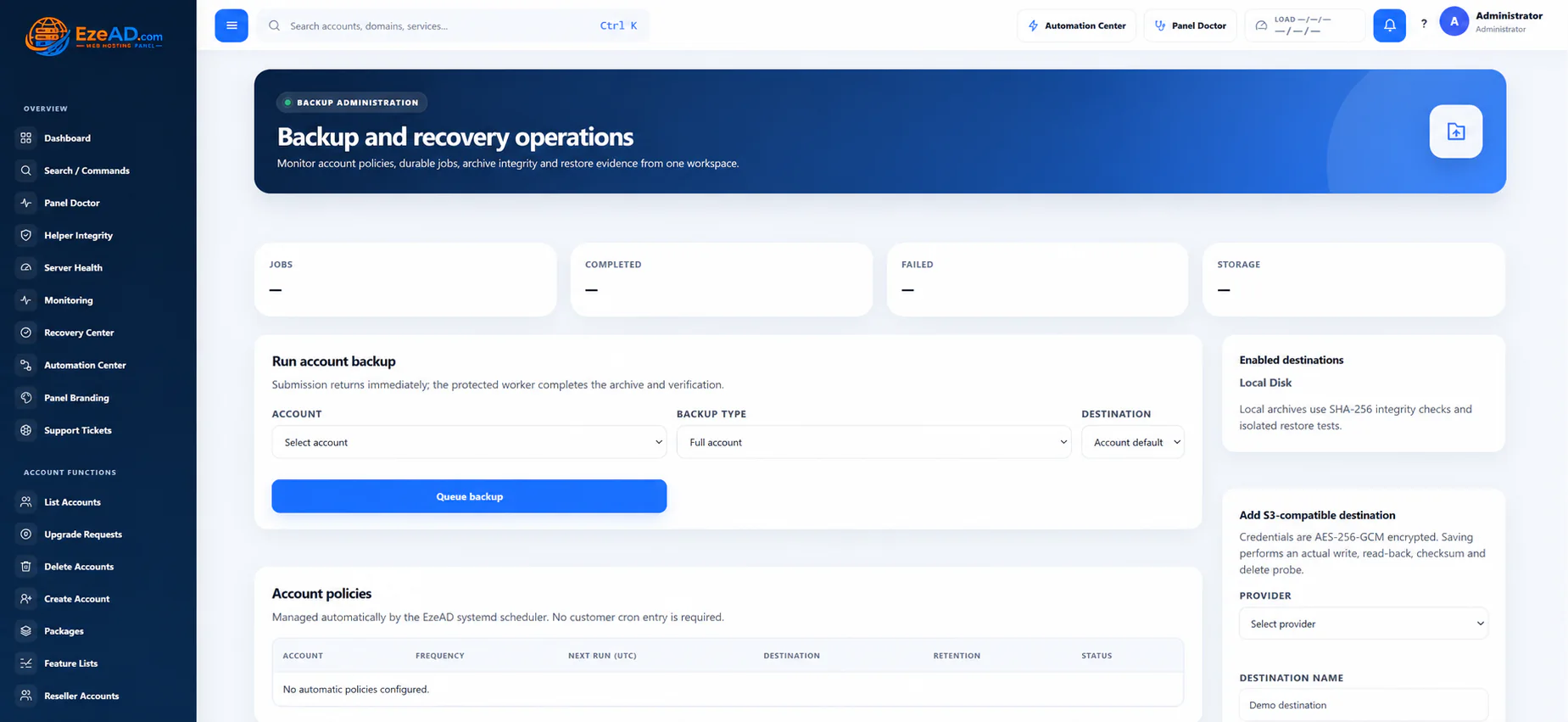
Make protection part of the routine.
Protect selected website files and database exports with visible backup jobs. Administrators review the Backup Center; customer availability follows package permissions.
- Selected website and database coverage
- Job status and history
- Schedules and restore workflows
Backups Enlarge
Swipe to inspect · tap the image for full context
Also in the customer workspace: File Manager, FTP, cron jobs and permitted terminal / SSH access. Features follow account ownership and package permissions.
Server operations
See the server behind every hosting account.
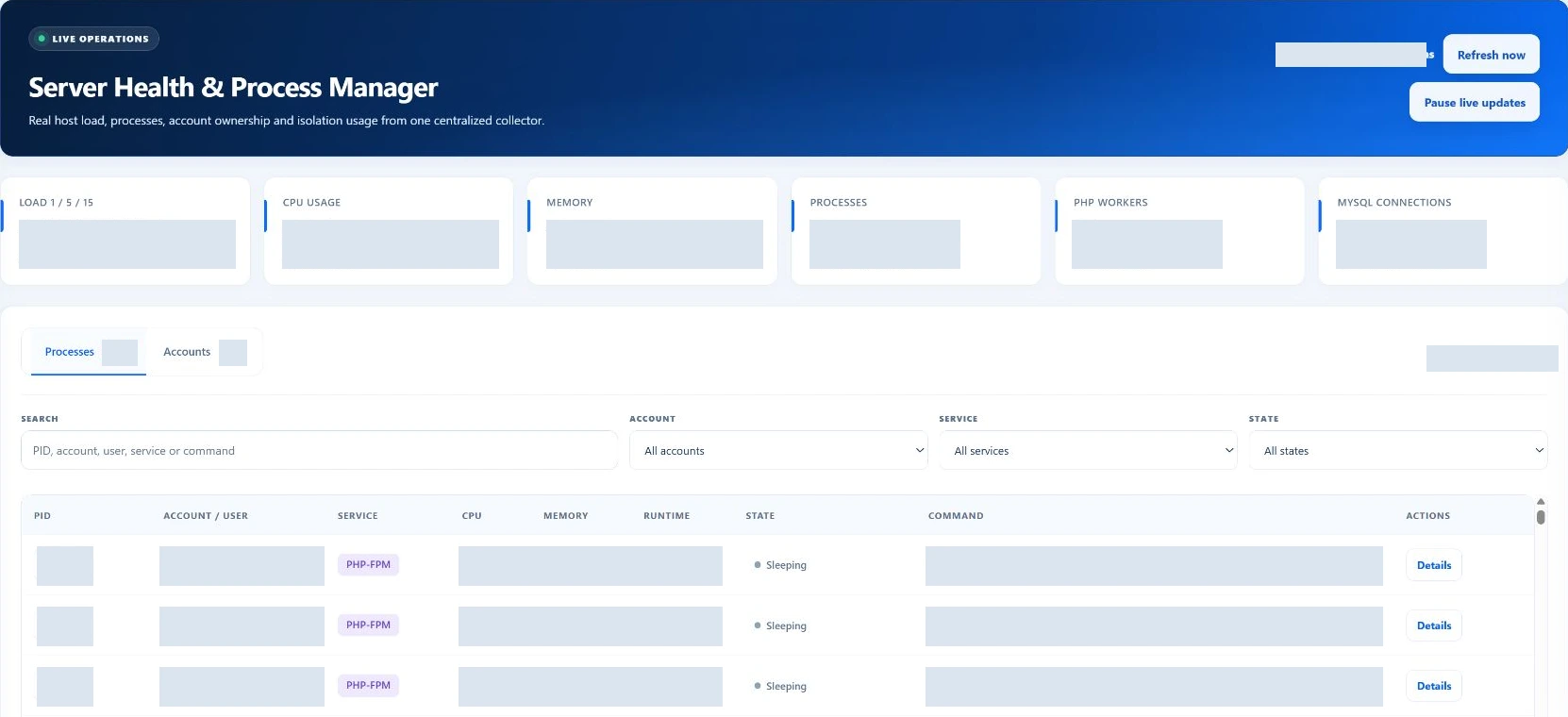
Read recent host measurements, investigate busy processes and find the account behind the workload.
Load · 1 / 5 / 15CPU usageMemory usageProcessesPHP workersMySQL connections
Connect process visibility with account resources, PHP-FPM management, service status and permitted terminal access.
Explore Server OperationsProcess investigation Enlarge
Swipe to inspect · tap the image for full context
Follow the pressureServerProcessAccountWebsite
Account and website attribution appears where available. Snapshot time and worker freshness help distinguish current readings from stale evidence.
Resource management
Control how much each account can use.
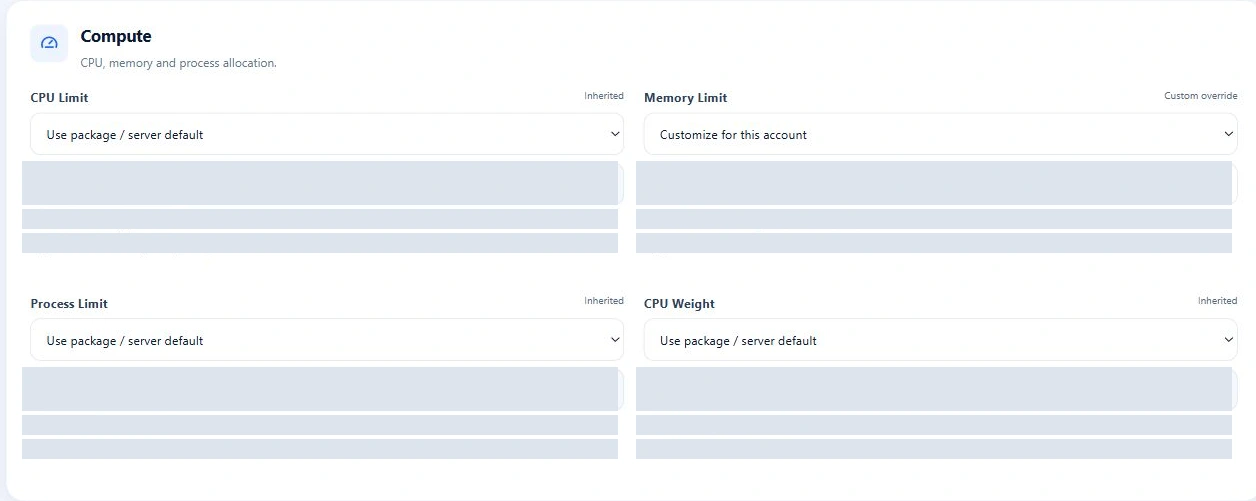
Set package defaults and adjust individual accounts when a customer needs a different allocation.
CPU limitMemory limitProcess limitCPU weightI/O weightPHP-FPM workersPHP memoryPHP request timeoutDisk read / writeRead / write IOPSMySQL connectionsRedis / Object Cache memory
Limits control workload use; they are not reserved hardware. Review the effective policy and runtime result after a change.
Explore Resource IsolationAccount resource policy Enlarge
Swipe to inspect · tap the image for full context
Monitoring & recovery
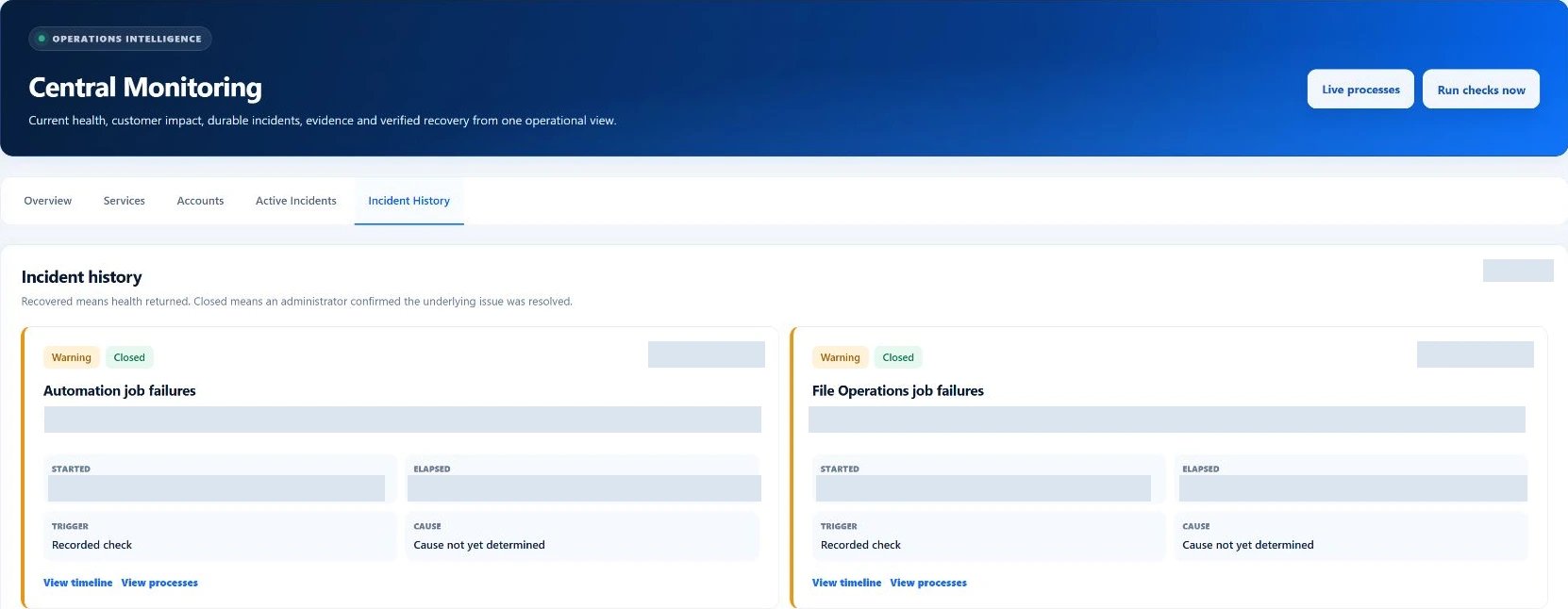
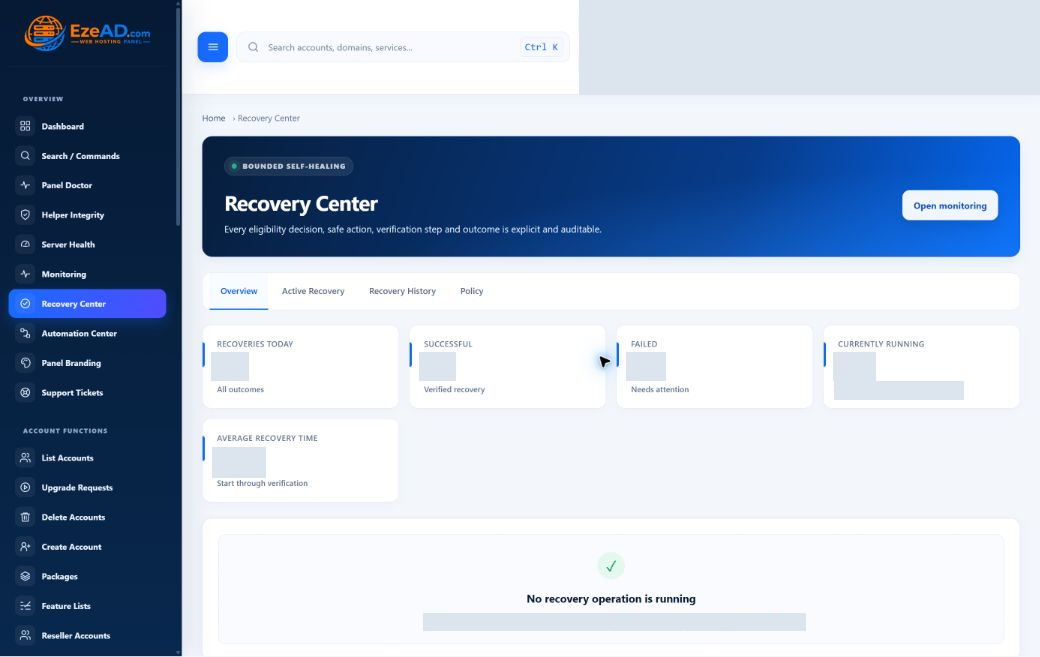
From detection to verified recovery.
Understand the affected service, evaluate a permitted response and keep the result in history.
Incident history Enlarge
Swipe to inspect · tap the image for full context
Recovery Center Enlarge
Swipe to inspect · tap the image for full context
Detect
Identify a persistent problem.
Evidence
Capture affected service and account context.
Evaluate
Check whether safe recovery is allowed.
Recover
Target the supported service.
Verify
Check the result and fresh health evidence.
Record
Retain incident and recovery history.
Recovery is bounded by supported targets, policy, maintenance, cooldowns and retries. When it cannot run safely, the incident remains available for administrator investigation.
Background operations
Automation that works while you sleep.
Move supported operations into background jobs and follow what happened after the request.
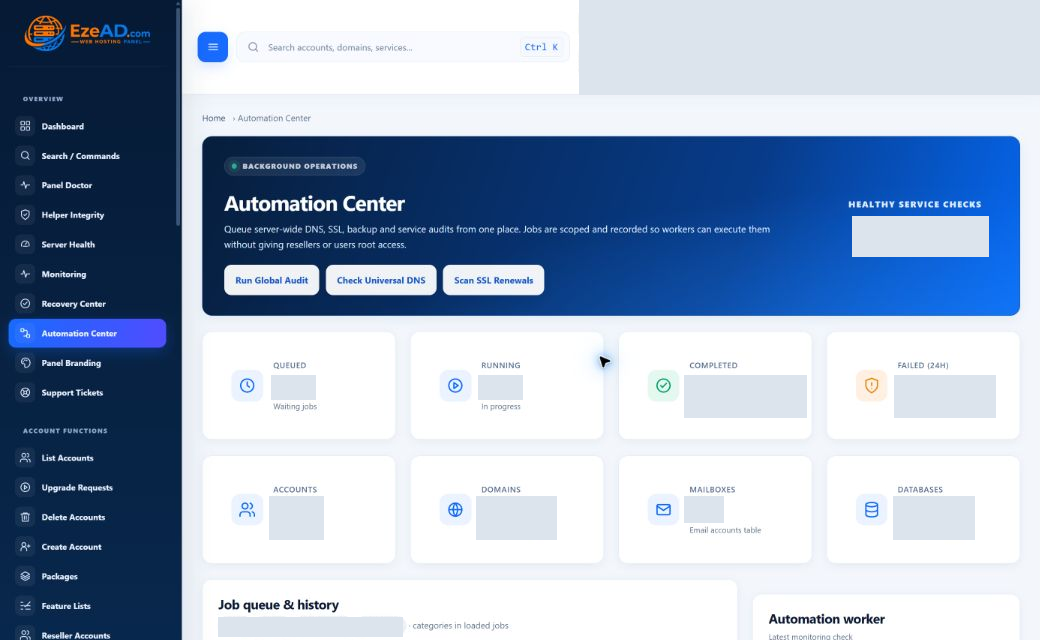
- DNS, SSL and service audit jobs
- Scheduled backups in the backup workflow
- Supported PHP and package-change jobs
- Job status, failure evidence and task logs
Schedules live in the relevant feature. Backup, file and malware work use their own workers; Automation Center is not an unrestricted workflow builder.
Explore AutomationAutomation Center Enlarge
Swipe to inspect · tap the image for full context
Backups Enlarge
Swipe to inspect · tap the image for full context
Data protection
Backups without leaving the panel.
Protect selected website files and database exports with visible jobs, schedules and restore workflows.
- Account-scoped website and database SQL backups
- On-demand jobs and enabled account schedules
- Progress, history, checksums and failure states
- Retention controls and website-file restore
Destination support
Local and S3-compatible destination code is implemented. Confirm the destination and installed release before relying on remote protection.
This is not a bare-metal, mail or DNS backup promise. Archive checks are separate from testing a restored application.
Explore BackupsLayered protection
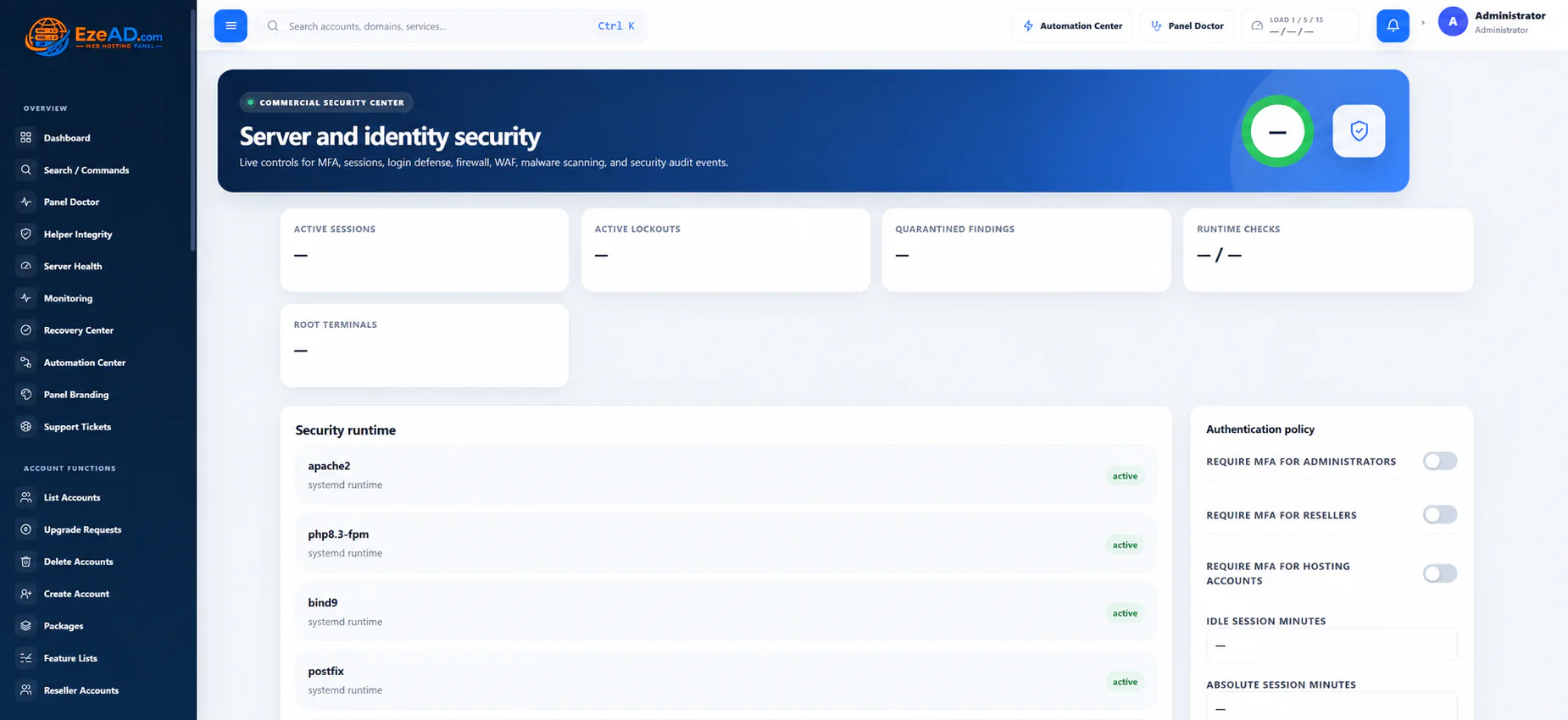
Security built into hosting operations.
Manage access, inspect findings and make sensitive changes with the right authority.
- Malware scanning and separate remediation actions
- SSL / AutoSSL and configured ModSecurity
- MFA, session controls and IP-security visibility
- Helper Integrity and security audit evidence
Controls depend on server configuration and permissions. A completed scan does not mean threats were automatically removed.
Explore SecuritySecurity Center Enlarge
Swipe to inspect · tap the image for full context
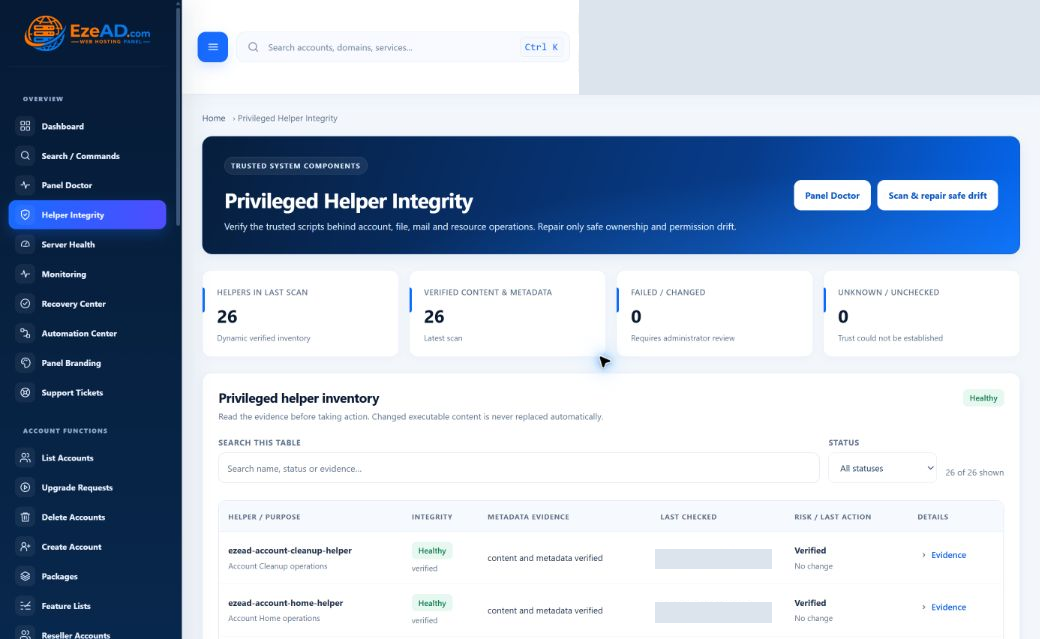
Check the tools behind privileged changes.
Helper Integrity compares installed helper evidence with the release inventory. It is one protection layer—not a declaration that the whole server is healthy.
Explore Helper IntegrityHelper Integrity Enlarge
Swipe to inspect · tap the image for full context
Business operations
Run the customer side of your hosting business.
Organize what customers receive, delegate responsibility and keep requests connected to their accounts.
- Hosting accounts, packages and Feature Lists
- Reseller delegation and ownership
- Package upgrade requests
- Support tickets and notifications
- Panel and notification branding
Hosting packages are your customer service plans. EzePanel software subscriptions belong to the separate customer portal.
Explore Business FeaturesList Accounts Enlarge
Swipe to inspect · tap the image for full context
Complete feature map
A complete platform for modern hosting.
Choose a capability to see its workflow, permissions and operating boundaries.
User Panel
Hosting
Server Operations
Resource Management
Monitoring
Recovery
Automation
Security
Backups
Business
Product direction
Built today. Building next.
Explore current capabilities with clear boundaries between implemented tools and future ideas.
In the current product
- Hosting and account management
- Server visibility and resource policy
- Monitoring, bounded recovery and automation
- Security, backups and customer support
Availability depends on your installed release, configuration and permissions.
Qualification & future vision
Make the next step explicit.
S3-compatible backups need destination-specific verification. Check release-specific migration coverage before planning a move.
Future vision: AI-assisted diagnosis and approval-driven operations are not available functionality.
Get started
Ready to explore everything EzePanel can do?
Take control of hosting infrastructure with one connected operational platform.
Before you choose your setup.
Can customers use every administrator feature?
No. Role, account ownership and package permissions determine which workflows a hosting customer can use. Server-wide administration remains separate.
Do these screenshots show live server data?
No. These screenshots show the interface, not live server telemetry.
Are hosting packages the same as EzePanel subscriptions?
No. Hosting packages define the services you give your hosting customers. EzePanel software subscriptions are managed separately in the commercial customer portal. Review pricing and availability before purchasing.
What should I verify before production use?
Test the intended release, enabled services, permissions and failure states. Verify your backup destination and application restore separately; do not treat an interface screenshot as runtime certification.