
Terminal & SSH · Account access policy
Grant the access the account needs.
Keep the boundary visible.
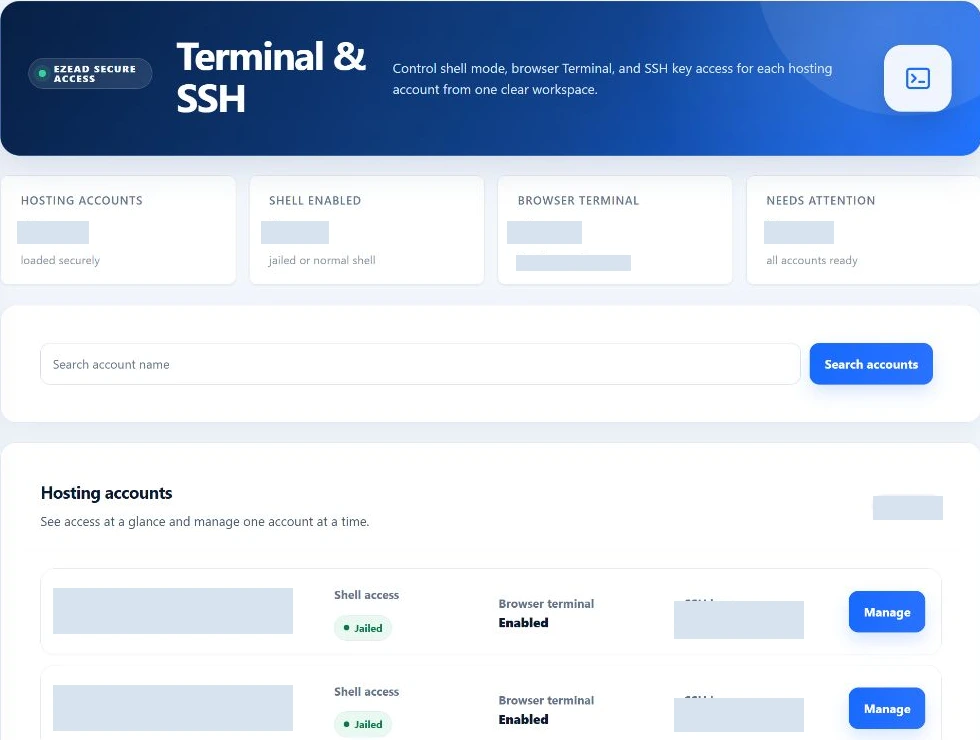
Choose the hosting account’s shell mode, decide whether it can use the browser terminal and manage SSH keys, then review session evidence. A tenant shell is not a server-root console.
Grant the account access it needs while keeping broader shell authority deliberate.
Swipe to inspect · tap the image for full context
- Account identity
- Shell policy
- Separate entitlements
- Session evidence
Start with the execution boundary
Three shell modes. Different consequences.
Choose access for the intended task, then review the effective policy and the account’s permitted tools.
Disabled
The shell-policy helper selects a non-login shell. Browser-terminal capability checks reject disabled shell access. This is the starting point when an account does not need command-line access.
Jailed
The account uses the jailed-shell wrapper. The browser broker launches a bounded filesystem view through bubblewrap. Its namespace restrictions can affect networking and available tools; some development commands require a different environment.
Normal
The account receives its normal Bash shell under the tenant’s Linux identity. This is broader access than the jailed environment, but it does not grant root. Review the reason for access and the account’s resource policy first.
Separate permissions, deliberate choices
Shell access is not one universal switch.
- Effective shell mode
- The resolver combines account policy, package inheritance and legacy SSH state. The saved selection is not necessarily the effective mode while package inheritance remains active. Recheck the resolved policy after saving.
- Browser terminal
- An independent feature override can inherit the package, enable access or disable it. An enabled feature still needs an active account, an allowed shell mode, valid Linux identity and an available broker.
- SSH key management
- Another independent entitlement governs managed public keys. Granting it does not automatically grant the browser terminal or a normal shell. Never ask customers to upload private SSH keys.
- Normal-shell requests
- Control whether an eligible jailed account may ask for broader access. A request is not approval; the root administrator reviews it separately.
One account at a time
Review identity before widening access.
Find the intended account
Search by account name and inspect account status, effective shell mode, browser-terminal state and managed-key information. The screen loads up to 200 matching accounts; its summary is not an unlimited fleet count.
Check identity and inheritance
Review any identity anomaly before changing access. The account must match its canonical Linux username, UID/GID and home. Keep package-derived settings distinct from explicit account overrides.
Choose the smallest useful grant
Select the intended shell mode and decide separately on browser terminal, key management and normal-shell requests. Explain which task requires each permission.
Save and verify enforcement
Save & enforce policy calls the shell helper and the account reconciliation path. Review the result and effective values. A failed enforcement attempts restoration, but do not treat that attempt as a guaranteed atomic rollback.
Review subsequent sessions
Use the recent-session list and observed customer result to check the outcome. Revisit the access decision when the task or customer entitlement changes.
Browser-terminal limits
Bound concurrent access and session duration.
- Maximum sessions
- Supported range: 1–8 browser-terminal sessions. The default policy uses 2. The launch path counts starting and active sessions before issuing a token.
- Idle timeout
- Supported range: 300–3,600 seconds; default 900 seconds. The broker tracks inactivity and expires sessions during maintenance.
- Maximum lifetime
- Supported range: 900–28,800 seconds; default 14,400 seconds. This is a separate ceiling from idle timeout.
Behind the browser connection
A scoped launch, with reasons to refuse it.
The application checks the account and entitlements before creating a short-lived launch token. The broker validates Linux identity, drops to the tenant user and places the terminal process inside the account’s cgroup path.
Identity and ownership
The broker checks UID, GID, home ownership and configured shell. Session requests carry account identity and are checked against the owning session. A mismatch is a reason to reject access—not to broaden permissions.
Short-lived launch
The launch token is stored as a hash and expires after 60 seconds. The broker communicates over a private Unix socket; the browser does not receive a root shell simply because the broker needs privileged setup.
Unavailable is meaningful
Inactive accounts, disabled features, invalid identities, exhausted session allowance or an unavailable terminal service can block a launch. Investigate the reported dependency rather than repeatedly switching to normal shell.
Session evidence and elevated requests
Close the loop after the access decision.
The administrator sees the latest 50 terminal-session records with account, mode, status, client address, start time and end reason. These records are not a complete transcript of every command or every external SSH login.
Close active sessions updates terminal-session records and asks the broker to revoke that account’s sessions. If the broker cannot be reached, recorded revocation alone does not prove every process stopped. Verify the runtime outcome. Managed-key counts can also fall back to zero on a helper error; investigate discrepancies rather than treating zero as proof that no keys exist.
A normal-shell request requires an active jailed account, enabled request entitlement and a reason of 10–1,000 characters. Only one pending request is accepted. Root can approve or reject it; the current approval path selects an explicit normal-shell policy with the default browser-session limits.
Does normal shell mean root access?
No. It runs under the hosting account’s Linux identity. Normal shell is broader than jailed access but is not a server-root console.
Do browser timeouts apply to all SSH clients?
No such guarantee is established. These limits are enforced in the managed browser-terminal path, not demonstrated as universal OpenSSH limits.
Why can the effective mode differ from my selection?
Package inheritance can remain active. Review the effective policy and source of the value rather than assuming an edited selection overrides inheritance.
Does a revoked badge prove every session stopped?
No. The database record and broker outcome are different evidence. Verify runtime termination, particularly if the broker was unavailable.