
Identity · network · workloads · evidence
Know the risk.
Choose the right control.
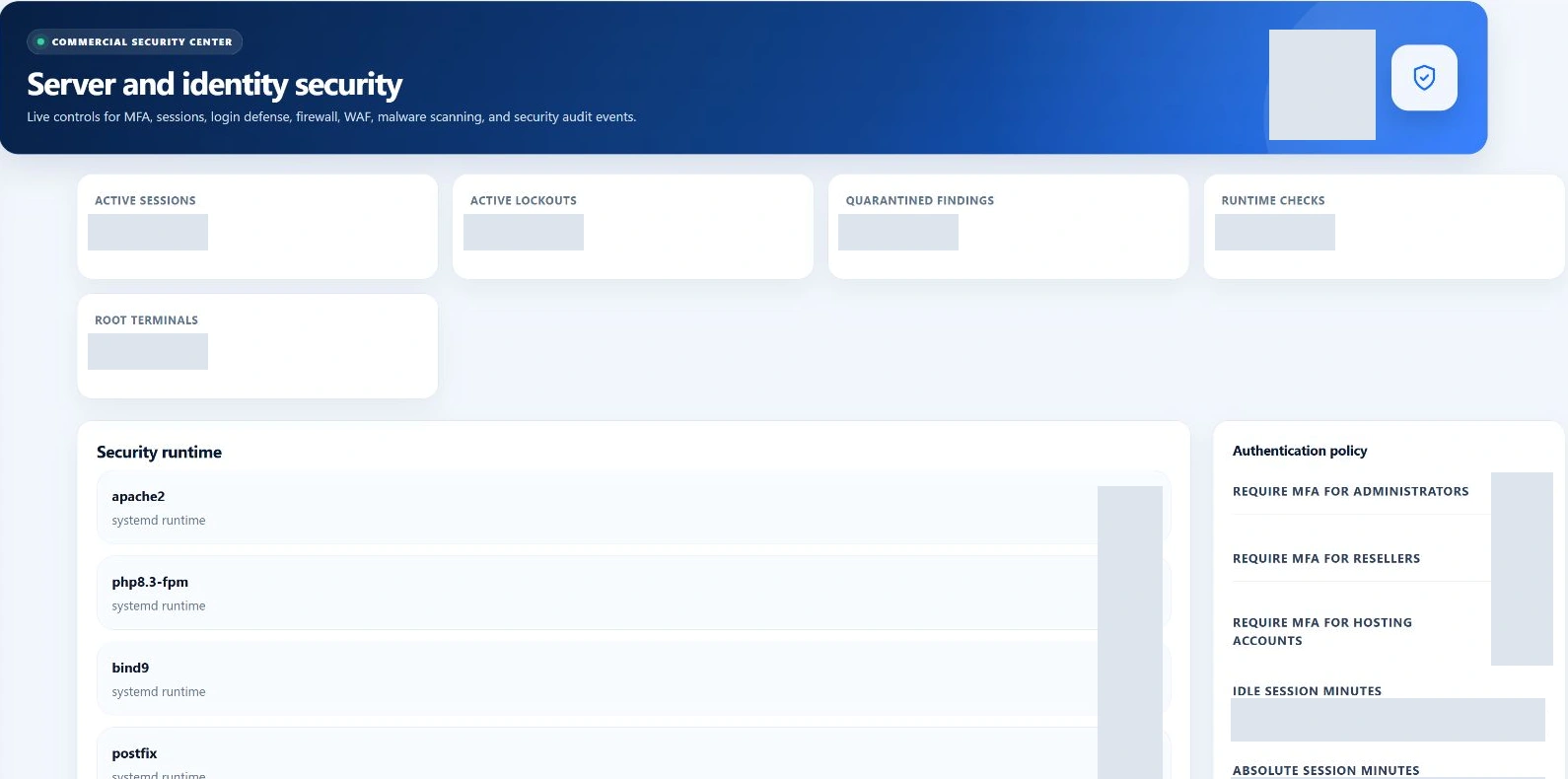
Use separate workspaces for authentication policy, firewall rules, web-request filtering, malware scans and privileged-helper integrity. Understand the scope of each result before deciding what to change.
Use the correct security control for the identity, network, file or helper at risk.
Swipe to inspect · tap the image for full context
- Observe risk
- Choose control
- Authorize change
- Review evidence
Start with evidence
A security workspace should help you decide—not simply reassure.
Security Center brings service signals, MFA enrollment, active sessions, authentication lockouts, recent login events and recorded test results together. Look for the affected identity or component, then open the module that owns the action.
Identify the observation
Read the event, test state, service signal or finding and its time. Pass, warning, critical, not tested and not applicable are different outcomes; an absent test is not a pass.
Choose the smallest relevant control
A sign-in lockout, a blocked web request and a suspicious file need different responses. Check the affected account or service before changing a global setting.
Authenticate and record the reason
Sensitive actions use additional authentication where described below. Use the required reason fields to preserve why a change was made, not just what button was pressed.
Verify the actual result
Review the helper response, scan result or resulting policy and then check the affected service. A saved setting or completed worker job does not independently establish successful protection.
Sign-in policy
Separate everyday access from sensitive changes.
- MFA and sessions
- Global policy includes required MFA for administrator, reseller and hosting-account audiences. The form accepts idle timeouts of 5–120 minutes and absolute lifetimes up to 1,440 minutes, not shorter than the idle timeout. Changing this policy requires root administrator access and step-up authentication.
- Step-up lifetime
- The policy accepts a 60–900 second verification lifetime for sensitive operations. This is separate from the ordinary panel session and from a customer’s SSH connection.
- Lockout review
- Inspect active authentication lockouts and recent sign-in history before using manual unlock. The action records the administrator and reason. Clearing a lockout does not repair the reason that failed attempts occurred.
- Root terminal safety
- A root-only emergency action calls the supported terminal helper, revokes recorded root-terminal leases and disables the root-terminal policy. It requires additional authentication. It is distinct from managing a customer’s shell entitlement.
Two different enforcement layers
Network access is not web-request filtering.
Firewall Manager
Manage supported allow, deny and rule-removal operations with direction, source IP, port and protocol. The form accepts ports 1–65,535 and TCP, UDP or any protocol; source is an IPv4/IPv6 address or any.
Deny and removal actions require additional authentication. The panel blocks specific changes that could cut off global SSH/HTTP/HTTPS access or the current administrator. These safeguards are not a substitute for provider-console access and a recovery plan.
ModSecurity
Technical details
Root administrators can select detection, blocking or off modes and manage domain-specific rule exclusions. Changes require CSRF validation, step-up authentication and a reason; disabling protection requires an additional sensitive scope.
Review the matching rule and application behavior before excluding it. Detection mode, active blocking and a disabled engine do not provide equivalent protection. The status and audit views help explain which state is configured.
The separate administrator IP Security page is an overview linking to related controls. It should not be mistaken for a complete global allowlist/blocklist editor.
Scan scope → worker → finding
A completed job can still contain an infected result.
- Request a scan
- Root administrators can queue an account-relative path or the protected server-file scope. Path validation rejects unsafe traversal, and matching queued/running account scans are not duplicated. The separate malware worker must execute the job.
- Read the scan result
- The worker distinguishes clean, infected, timed_out and failed results. The surrounding automation job may be completed even when the scan result is not clean. Check the scan’s own result, exit code, output and timestamps.
- Understand the boundary
- The current ClamAV scan commands do not automatically quarantine or delete detected files. A clean result applies to the scanned scope and detection capability at that time—not every possible threat on the server.
- Handle existing quarantine separately
- Restoring or deleting a recorded quarantine finding requires a reason and additional authentication. Restore places the file in a separate quarantine-restored directory with non-executable permissions; it does not silently put it back into a live website. Permanent deletion is destructive.
Trusted system components
Verify helper content before repairing metadata.
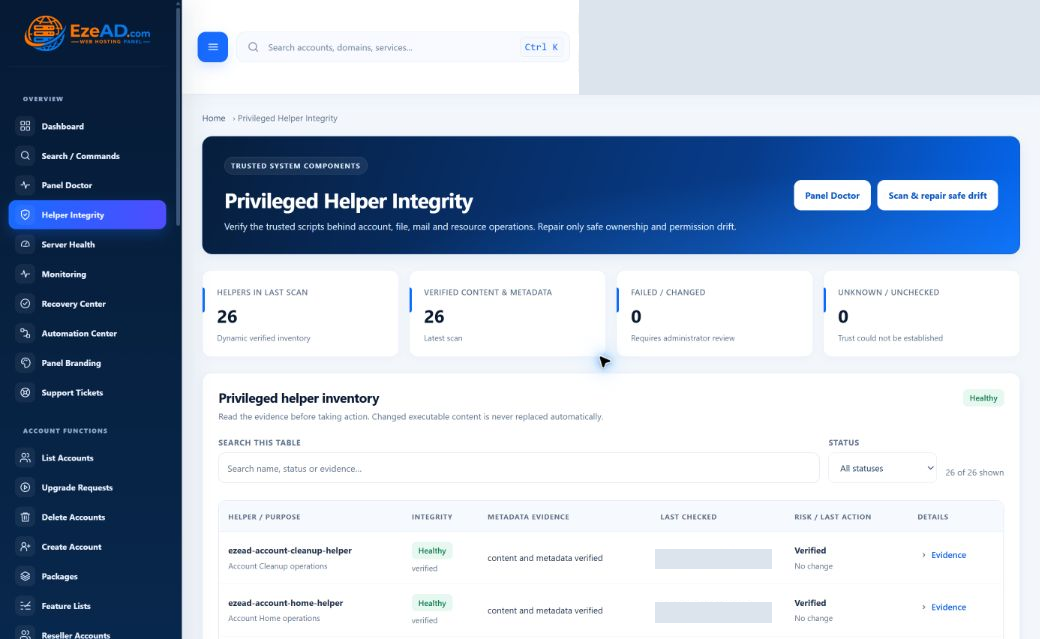
Privileged helpers perform supported system operations behind the panel. Helper Integrity compares installed content with the active trusted release and reports metadata drift separately from changed executable content.
What the inventory tells you
Read each helper’s purpose, content status, metadata evidence, last check and recorded action alongside the scan time and active release. The count is dynamic; the inventory reflects the helpers installed on this server.
A result older than two hours becomes unknown in the current manager. Historical healthy evidence must not be presented as a current guarantee.
What safe repair can do
Root access and step-up verification are required. Matching content permits ownership and permission repair to the required root-owned metadata. Changed content, missing helpers and unsafe release copies are not automatically replaced.
This repair path does not restart websites or tenant workloads. A healthy helper result proves this particular integrity comparison—not the health of every website, database or service.
Retain the operational explanation
Audit history connects identity, action and result.
The activity workspace displays recent panel and security events separately, up to 200 from each source. Security records expose event type, severity, actor, result, reason and time; recorded IP information should be shared only with authorized investigators.
Export with care
CSV export requires additional authentication and is limited to 50,000 records from each source. It is not an unlimited archive or proof that every action in every module is logged.
Retention is a policy
Root administrators can set 30–3,650 days after step-up authentication; the displayed fallback is 365 days. A retention worker must apply the policy. This is not a claim of tamper-proof storage against a privileged host operator.
Know the limits
Protection needs current evidence.
Does a healthy Security Center mean the server is secure?
No single overview proves that. Review the individual controls, freshness, configured scope and tests that actually ran. No compliance certification is implied.
Does completed mean a malware scan found nothing?
No. Read clean, infected, timed_out or failed in the scan record, not only the automation job state.
Will helper repair replace modified code automatically?
No. Content drift is refused. Safe repair is for matching helper content with incorrect ownership or permissions.
Are all security actions governed by one role?
No. Root-only controls and additional authentication vary by action. Review the permission requirements of the operation you intend to use.