
Recovery Center · Decisions, actions, verification
A recovery action needs a reason—and a verified result.
Review why an incident qualifies, which target can be acted on, and what happened afterward. Recovery Center connects a bounded response to the incident that justified it.
Availability depends on policy, incident eligibility and working recovery services.
Swipe to inspect · tap the image for full context
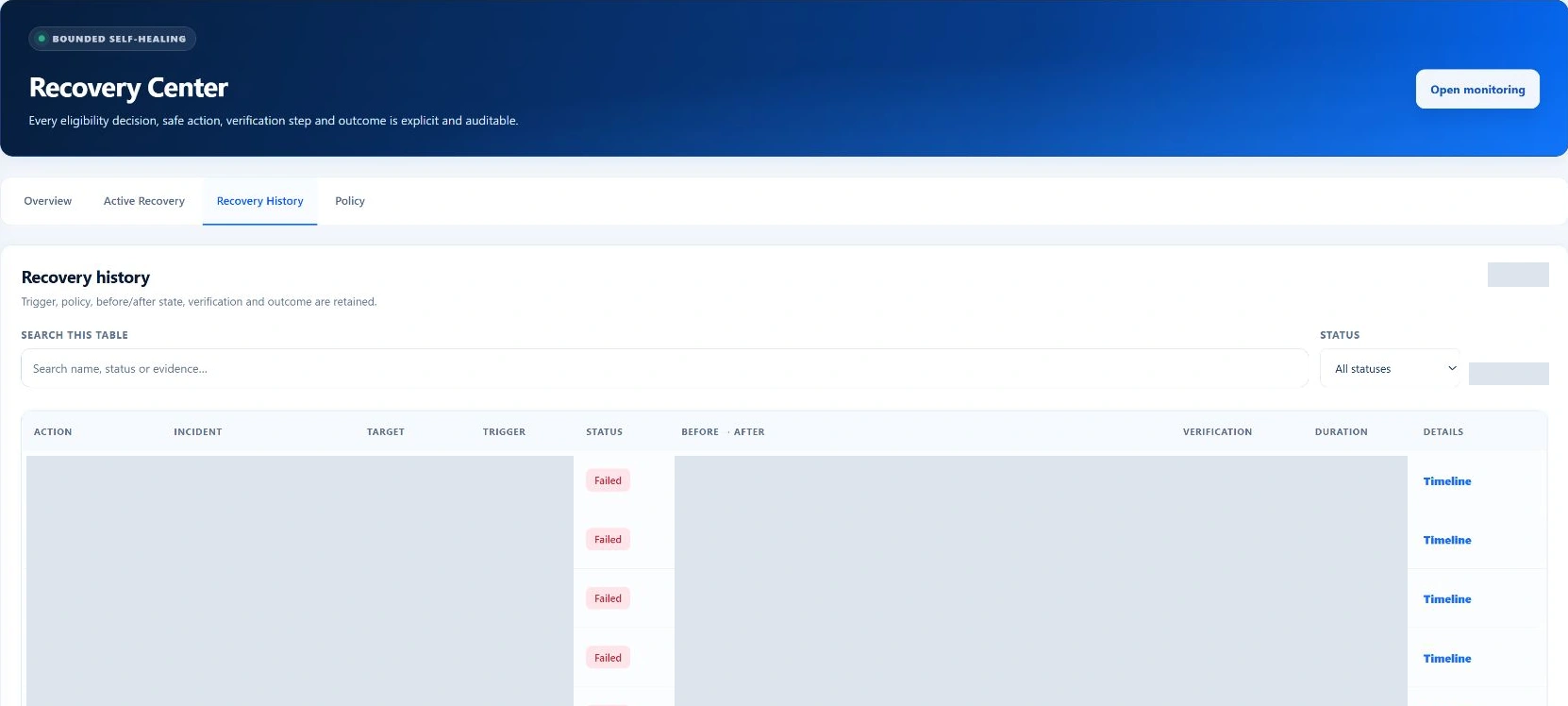
The visible attempts failed. This history shows recorded outcomes, not successful recovery.
- Eligibility
- Known action
- Target verification
- Monitoring evidence
The first decision is whether to act
Eligible is a checked condition, not a default.
The critical-incident decision list explains why recovery can or cannot run. Work through the reason before queuing another operation: several safeguards can correctly prevent an action.
Is the incident still active and critical?
Recovered, closed or non-critical incidents do not qualify for this recovery path.
Is there a supported recovery plan?
The incident must match a service, worker timer or qualifying tenant PHP-FPM target. An unrelated failure has no automatic plan.
Does policy allow this action now?
The recovery worker and the relevant category must be enabled. An active monitoring maintenance window suppresses recovery.
Is the action budget available?
An existing queued/running action, an active cooldown or the maximum attempt count can block another attempt.
Eligible → queue the known action
The record retains the policy reason, incident, target and trigger. A queued action still has to execute and pass verification.
Not eligible → inspect the reason
Do not treat a blocked action as a missing button. Resolve the condition or investigate through the appropriate administrative workflow.
Different targets, different consequences
Know precisely what the plan will touch.
- Core service: start
- The manager creates start plans for allowlisted services such as Apache, PHP-FPM, mail, DNS and the database service. It does not turn a general incident into a global restart loop. Review the target service and its customer impact.
- Worker timer: start
- Supported worker timers can be started when their critical incident qualifies. Restoring a scheduler is different from proving that every queued job has subsequently completed.
- Tenant PHP-FPM: targeted restart
- This narrower plan requires an active hosting account, a high-confidence PHP worker-limit diagnosis and three consecutive failed origin checks. It targets that account’s PHP-FPM unit rather than treating all customer pools as one workload.
Follow the execution evidence
A request is the beginning—not the outcome.
Queue
Record the incident, target, trigger and policy reason. The worker must be available to process it.
Preflight
For supported services, run the relevant configuration validator. A failed preflight stops the action.
Action
Invoke the selected helper operation and retain its exit status and execution evidence.
Verify
After the configured delay, inspect the target unit’s state. Helper success and an active target support action success.
Monitor
Let Monitoring independently confirm the incident’s recovery. A running service is not proof that the website works.
If a start target is already active, the worker can skip the operation without running another start command. If the incident is no longer active and critical, it can also skip the now-unnecessary action.
Root administrator controls
Set boundaries before an incident needs them.
The policy separates service recovery from worker-timer recovery and limits repeated attempts. These are accepted configuration ranges in the current implementation—not recommendations for every host.
- Enable recovery worker
- Controls whether the recovery worker processes the recovery workflow.
- Service / worker recovery
- Separate controls govern allowlisted service and tenant recovery, and allowlisted timer recovery.
- Cooldown
- 2–1,440 minutes. The recorded cooldown prevents another action for the same incident fingerprint too soon.
- Attempt window and ceiling
- A 15–1,440 minute window and 1–10 maximum attempts bound repeated execution.
- Verification delay
- 1–15 seconds before the action’s target-state check. This does not replace the independent monitoring cycle.
Technical details
Both policy changes and manual queuing require the root administrator and CSRF validation. Manual queuing uses the same eligibility checks; it is not a bypass for disabled categories, maintenance or retry limits.
Operations that remain explainable
Read the record from trigger to final state.
Overview brings critical decisions and worker state together. Active operations show queued and running work; History shows succeeded, failed and skipped results. Open an operation’s timeline for the execution detail.
Identity and scope
Review the incident reference, affected account or server-wide scope, target unit and manual/automatic trigger. The “why it ran” explanation preserves the policy decision behind the action.
Progress and verification
Inspect queued, started and completed times, duration, attempt number and current step. Compare before/after state with preflight and verification results—not just the overall badge.
Worker and interruptions
Check the worker heartbeat and last cycle. Interrupted running actions are reconciled on a later worker run; old queued actions can expire. A stale heartbeat is not evidence that work is progressing.
- Queued / running
- Waiting for the worker or actively progressing through the recorded steps. Neither means the service is restored.
- Succeeded
- The recorded action verification passed. Return to Monitoring for the independent incident and application evidence.
- Failed
- Preflight, execution or verification did not establish success. Inspect the retained error and investigate before retrying.
- Skipped
- No action was needed or the queued operation was no longer suitable. Read its explanation rather than treating every skip as an error.
Illustrative investigation—not a recorded customer incident
A busy PHP account needs a targeted decision.
Suppose an account’s origin checks fail and the evidence identifies PHP worker exhaustion with high confidence. First inspect the account’s resource and process evidence. A tenant recovery plan also needs the required consecutive failures and available policy budget before it can be queued.
If the targeted action succeeds, verify the website through Monitoring and investigate why the worker limit was reached. The restart does not resize the customer’s package, fix their application or prove the cause will not recur.
Frequently asked questions
Why can’t I manually queue a blocked action?
Manual queuing calls the eligibility checks too. Read the decision reason: policy, maintenance, target support, an existing operation or attempt limits may prevent it.
Does succeeded mean the incident is resolved?
No. It means the action’s verification passed. Monitoring must confirm recovery, and incident closure is a separate root-administrator decision.
Will Recovery Center restore a backup?
This incident-recovery workflow handles the supported service, timer and targeted tenant plans described here. Backup restore is a separate data-changing workflow.
What should I do when the worker is stale?
Treat progress as unproven. Inspect worker availability and the operation history using the appropriate operational tools; repeatedly queuing the same action does not repair a stopped worker.