
MultiPHP assignment and tenant execution
Match the PHP runtime.
Understand the worker boundary.
Choose the runtime an application needs, understand whether the change affects one domain or an entire account, and manage worker capacity separately from PHP options. These are connected decisions—not interchangeable settings.
Installed versions depend on your host. Check application compatibility and the effective runtime after a change.
Swipe to inspect · tap the image for full context
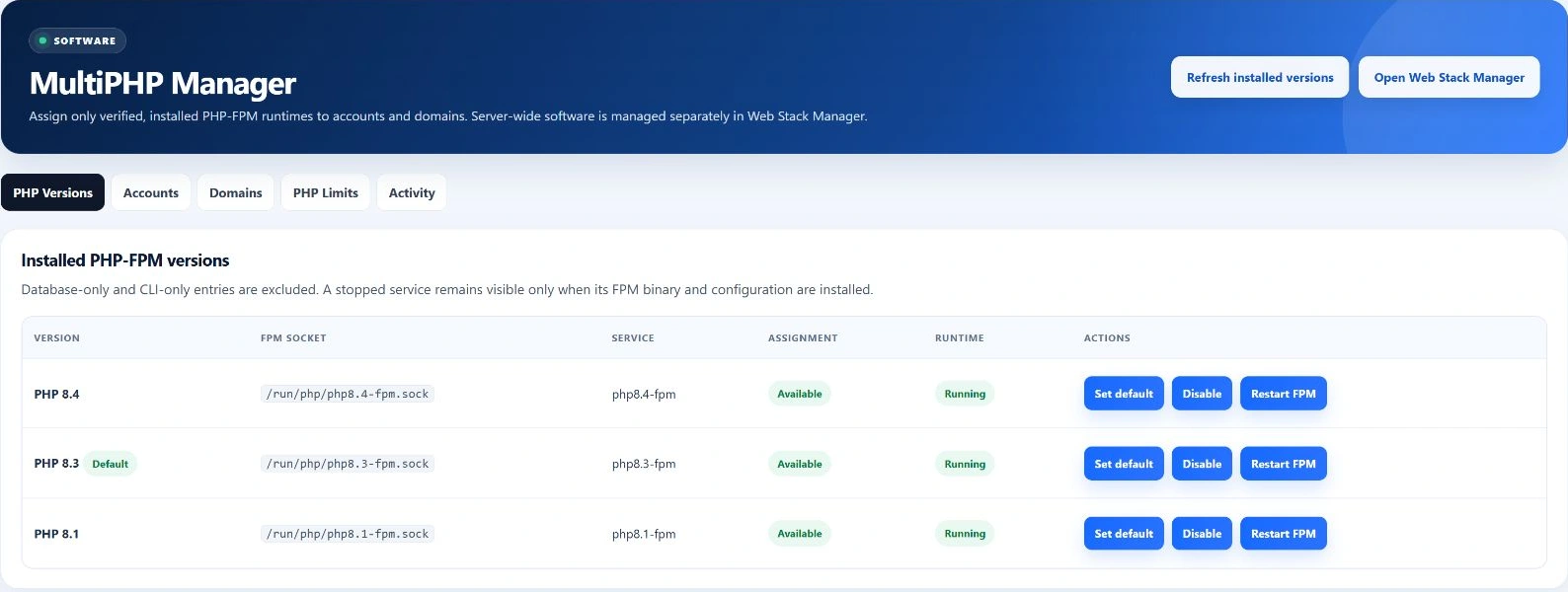
- Installed runtime
- Account or domain
- Reconcile configuration
- Verify application
Before you select Apply
One account or one domain?
Account-level assignment
Changing an account’s PHP version updates the account and all its domain assignments before reconciling the account runtime. Review every application in that account, including domains that previously used another version.
This is useful when the whole account is ready for the same runtime. It is not a harmless change to a future default.
Domain-level assignment
Changing a single domain updates that domain’s PHP assignment, then reconciles its account runtime. Use this narrower selection when one application needs a different version.
The domain belongs to an account; the reconciliation still works through that account’s generated configuration and services.
Inventory before compatibility
Installed means more than a version label.
Assignment requires an enabled runtime that passes installed-runtime discovery: CLI and FPM binaries, PHP configuration, a pool directory, required CLI extensions and a systemd unit. A database record or a CLI binary alone is not enough.
- Installed
- The required installation artifacts were found. This inventory check is not a live request through your website and does not perform the privileged pool configuration test.
- Available
- The assignment flag permits selection. It is separate from whether a service is running. A stopped but complete runtime can still appear in inventory.
- Running
- The distribution PHP-FPM service status is checked. A green status does not prove that every tenant-specific master, socket or application is healthy.
Installing PHP packages and extensions belongs to Web Stack Manager. The versions offered depend on the installed host; this page does not promise that every historical or newly released PHP version is supported.
MultiPHP Manager field map
Five views for five different questions.
- PHP Versions
- See version, FPM socket, service, default badge, assignment availability and runtime state. Refresh inventory, select a default, change assignment availability or use the server FPM action. Server-level actions require root-administrator access.
- Accounts
- Review account, primary domain and current PHP version. Choose an installed, available version and apply it to the account and its domains.
- Domains
- Review each domain, owning account and current version. Select an available runtime for that domain rather than changing all its siblings.
- PHP Limits
- Choose an account and inspect memory limit, upload maximum, POST maximum, execution time, input variables, display-errors setting and OPcache switch. These options are not the same as account CPU and RAM ceilings.
- Activity
- Review the latest 50 PHP activity entries: time, action, account and details. Logging is best effort in the current manager, so this list is not guaranteed to capture every failure.
Assignment is a workflow
Choose. Reconcile. Check the application.
Review compatibility and scope
Confirm the application’s requirements, the installed runtime and whether you intend an account-wide or single-domain change. Record the previous assignment.
Apply the intended version
The manager validates availability, updates assignments and invokes account provisioning to reconcile runtime configuration. The page’s write actions check CSRF.
Inspect the outcome
Review the result, the effective assignment, relevant service evidence and the affected application. A saved version is not a substitute for checking a real request.
Investigate a failed change
The manager restores previous assignments and attempts reconciliation on failure. That recovery attempt can itself fail; inspect the host state instead of assuming a guaranteed atomic rollback.
Server-level actions are root-restricted. Do not infer identical ownership checks for every legacy administrator assignment path merely because separate reseller-scoped service methods exist.
Understand what is being limited
A worker is not a visitor—or a login.
Pool and worker
A pool defines PHP execution settings and its tenant identity. Workers execute requests. The generated tenant model uses an account-and-version-specific FPM configuration, socket and systemd service attached to the account user slice.
Request and PHP session
A request is an execution handled by a worker. A PHP session stores application state across requests; it is not a permanently reserved worker. Worker count controls concurrency, not the number of customers allowed to log in.
Panel and SSH sessions
A panel session authenticates a browser to EzePanel. An SSH session is command-line access. Neither is counted by pm.max_children; their access and session controls belong to other modules.
The resource helper generates worker count, process-manager mode, request termination, recycling and slow-log settings, then validates the pool before applying the tenant service. Effective account policy can change the values. Review capacity in Resource Management and observed demand in Server Health.
Swipe to inspect · tap the image for full context
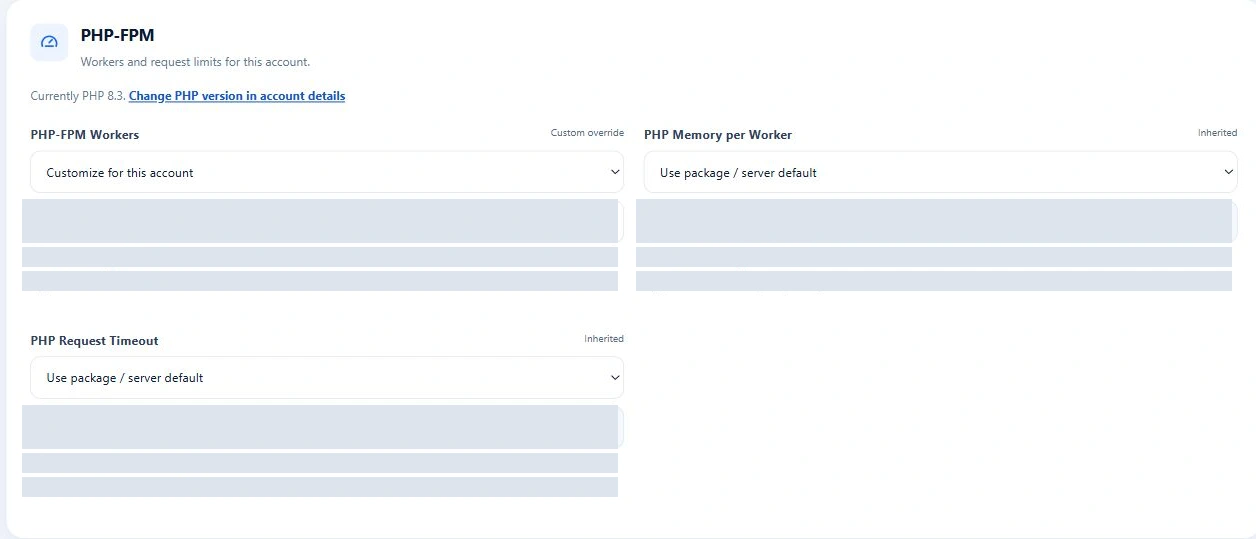
Options, limits and failure boundaries
A saved option still needs an effective-runtime check.
PHP Limits accepts size values such as 256M, execution-time values clamped to 1–7200 seconds and input-variable values clamped to 100–200000. These are accepted input ranges, not workload recommendations. Upload and POST limits should be considered together.
INI settings versus pool policy
The account-options path saves settings and writes an account/version INI file. The tenant pool also sets administrative values, including memory and display-error policy. Pool policy can take precedence, and an option may not apply to every domain or PHP version. Check the effective configuration for the affected website.
If writing the INI fails after the database save, the intended setting can remain stored. Recheck effective behavior after resolving the error.
Server action versus tenant service
The legacy “Restart FPM” action tries reloading the distribution version service, with restart fallback. Tenant resource reconciliation follows a different path and can restart affected tenant masters.
Either action can interrupt requests. Reloading the distribution service does not establish that every account-specific pool was restarted.
Does changing account PHP affect every domain?
Yes. The current account-assignment method updates all domains belonging to that account. Use domain assignment for the narrower change.
Does Running prove my website works?
No. It describes a service check. Confirm the tenant runtime and an actual application request separately.
Is PHP memory_limit the account RAM allocation?
No. It limits PHP allocation per request; the account resource boundary covers attached workloads. Increasing it can raise memory-pressure risk.
Are all saved PHP options guaranteed effective?
No. Generated pool policy and the file-consumption path matter. Inspect the effective runtime rather than relying only on saved form values.