
User Panel · Account security
Protect your sign-in.
Review website security.
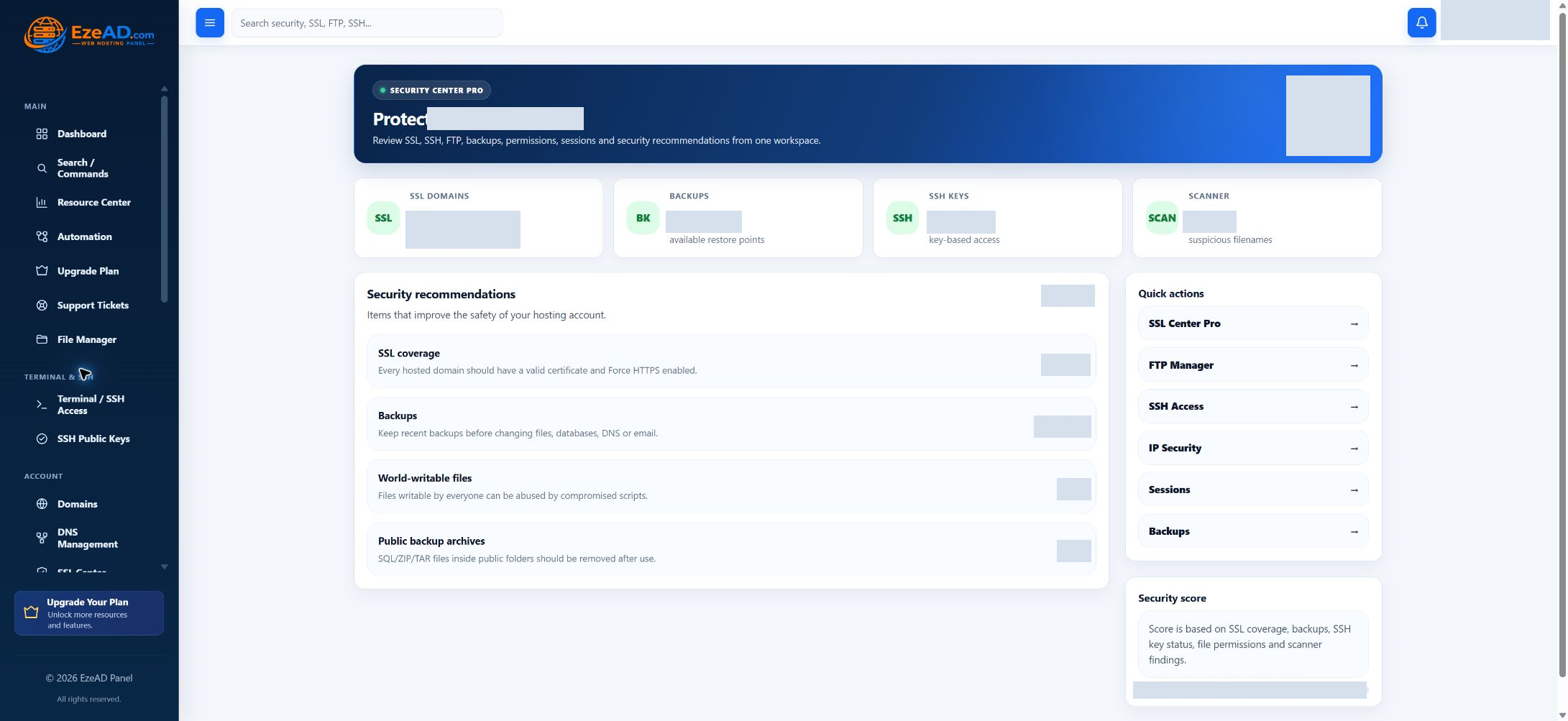
Keep account access, certificate coverage and file warnings within reach. EzePanel connects the security overview to the tools that let you investigate and take the appropriate next step.
Explore account protectionSwipe to inspect · tap the image for full context
Identity first
Make sign-in protection part of routine account care.
Authenticator and recovery
Use Sign-in security to set up an authenticator and manage recovery codes. Complete the verification steps and store recovery codes securely. Your provider’s policy may require MFA.
Password and profile
Change the panel password using your current password and the required strength checks. Keep the account contact details current. The hosting username remains tied to the account’s system identity.
Sessions and sign-ins
Review active panel sessions and recent sign-in history. Revoke an unfamiliar session or other sessions when appropriate. Revoking the current session signs you out.
Understand the observation
Turn a recommendation into a focused check.
The overview brings selected signals together. Its score is a starting point for review, not a certification that the website or server is secure.
- SSL coverage
- Open SSL Center and check the actual hosted names, certificate expiry and HTTPS behavior. A summary count cannot establish every visitor’s connection.
- Backups
- Inspect the backup’s age, content and completion evidence. The existence of an archive is different from a tested recovery.
- File permissions
- Review world-writable files with the provider or application maintainer. Change permissions deliberately so the application keeps the access it needs.
- Archives and filenames
- Investigate archive files and suspicious filename patterns. These bounded checks are not a complete malware scan; an empty or unavailable result is not an all-clear.
Shared responsibility
Your account controls. Your provider’s infrastructure.
You manage account access
Maintain the panel password, authenticator and recovery codes. Review sessions, retire obsolete public keys and manage enabled hosting tools within your account.
Mailbox, FTP and database credentials are separate. A panel password change should not be treated as a change to every service password.
The provider maintains the server
Server firewall rules, privileged security operations, service maintenance and administrator malware workflows belong with the hosting provider.
Use the account support channel when the next action needs server authority. The customer Security Center does not grant root access.
Respond with context
When something looks wrong, preserve the context.
Identify the symptom
Record the affected website or account tool, observed error and time. Separate a login concern from an application warning.
Limit the disclosure
Share a concise description and redacted evidence with your provider. Keep passwords, recovery codes and private keys out of tickets.
Verify the change
Check the affected access or website after an approved fix. Update the support thread with the result so the investigation has a clear outcome.
Frequently asked questions
Account security questions.
Does a strong score mean my website is secure?
No. The score summarizes selected account signals. It does not certify application code, patch status or the absence of malware.
Is the filename scanner a malware scan?
No. It flags selected filenames, permissive files and archive patterns. Ask the provider to investigate suspected compromise using the appropriate server security tools.
Can I revoke a panel session?
The sign-in security workspace provides session review and revocation. Revoking your current session signs you out; separate SSH or application sessions have their own controls.
Does changing the panel password change every service password?
No. Mailboxes, database users, FTP accounts and SSH keys have separate access workflows. Review each affected credential when access needs to change.
Connected hosting