
User Panel · DNS & SSL
Point the domain.
Secure the connection.
Manage the DNS records for your hosted domains, then follow certificates and HTTPS in their own workspace. Keep domain routing, certificate coverage and the visitor experience connected.
Explore domain controlsDNS zone editor
Edit the records for the domain you own.
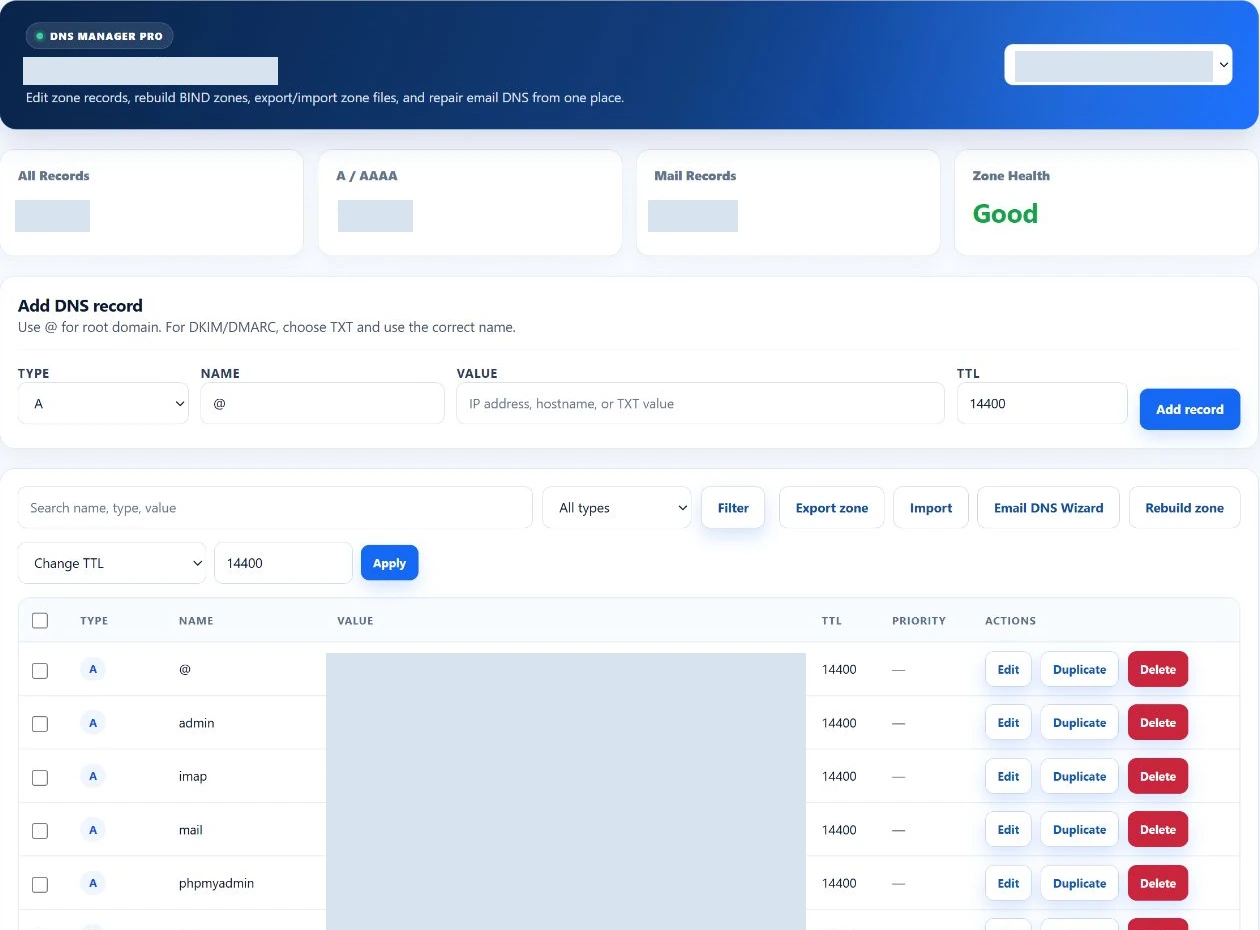
Choose one of the account’s hosted domains, find a record by name or type, and review its value, TTL and priority where applicable. Keep a copy of the existing zone before making a consequential change.
Swipe to inspect · tap the image for full context
Website routing
A and AAAA records provide addresses; CNAME records provide aliases. Confirm the intended destination before changing a name used by a live website.
Mail and verification
MX and TXT records support mail routing and service verification. Preserve the values needed by the actual mail provider and connected services.
Zone maintenance
Use supported SRV, CAA and NS records where required. The editor also supports duplication, bulk TTL changes, import/export and managed-zone rebuilds.
TTL values are validated from 300 to 86,400 seconds. A saved record can still be cached elsewhere; the editor does not promise an exact global propagation time.
SSL Center
A certificate has its own lifecycle.
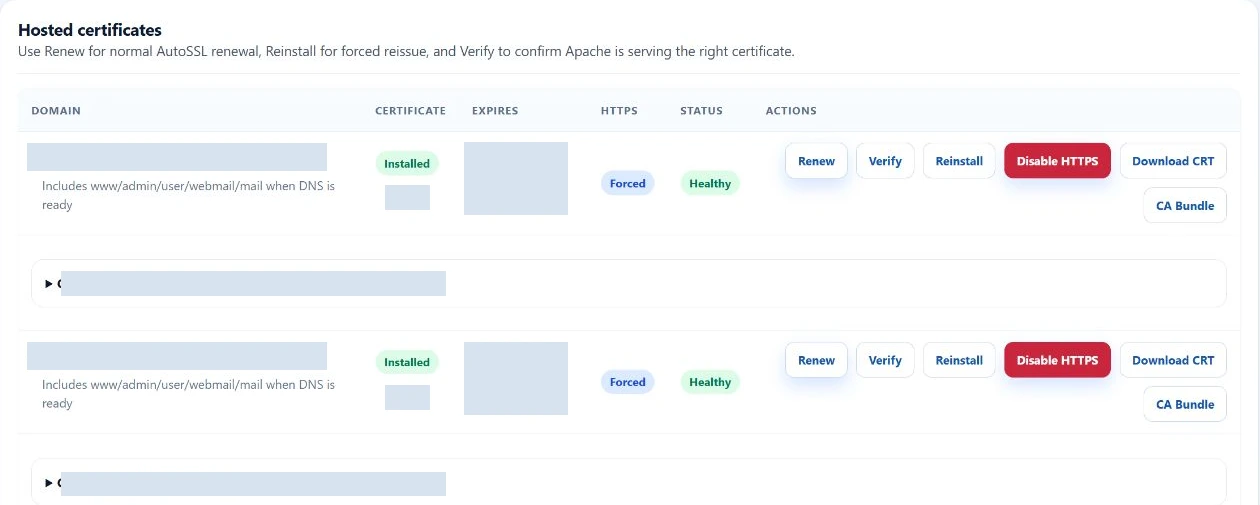
Follow the hosted name, certificate status and expiry. When AutoSSL is available in the package, installation or renewal enters a background queue so you can return to its result.
Swipe to inspect · tap the image for full context
Request and follow
Queue an eligible install or renewal. Review the job’s progress and error if issuance cannot finish. Domain validation and server availability still matter.
Inspect the certificate
Review identity, issuer, validity and covered names. Public certificate components can be downloaded where available; that is separate from private-key access.
Verify HTTPS
Use the verification control and check the website. Force HTTPS changes redirect behavior; it does not itself issue or repair a certificate.
Authority and ownership
Know which system owns the change.
The managed EzePanel zone
The customer editor works with records for domains owned by the hosting account. Changes pass through the managed DNS workflow; server-wide nameserver administration belongs with the provider.
Changing records does not register the domain or change its registrar delegation.
An external DNS provider
If another service hosts the authoritative zone, update that service too. Saving a record inside EzePanel does not automatically synchronize an unrelated DNS provider.
Confirm the domain’s actual DNS authority with your provider before changing routing or diagnosing a certificate failure.
After a change
Verify the journey your visitor takes.
A useful check follows the request from the domain name to the application. Keep the result of each stage distinct.
Resolution
Confirm the intended hostname resolves to the expected service through the authoritative DNS path.
Certificate coverage
Check the certificate identity, validity and the exact name the visitor uses, including required aliases.
HTTPS behavior
Open the secure URL and inspect redirects. A redirect should lead to the intended hostname and working TLS connection.
Application response
Test the actual page or transaction. DNS and certificate success alone do not establish that the application is healthy.
Frequently asked questions
DNS and SSL questions.
Will editing EzePanel update external DNS automatically?
No. If another provider is authoritative for your domain, update the records there. The EzePanel editor manages its own hosted zone.
Does Force HTTPS install a certificate?
No. Redirect behavior and certificate issuance are separate. Confirm the certificate is usable before relying on HTTPS redirection.
Why is an AutoSSL request still queued?
Certificate work runs through background jobs and depends on domain validation and server availability. Review the job result and ask your provider about persistent errors.
Can I see certificate expiry and coverage?
SSL Center presents certificate information and hosted names so you can review expiry and coverage. Verify the real website connection after changes.
Your hosting workspace