
User Panel · Backups & restore
Keep a recovery copy.
Know how to use it.
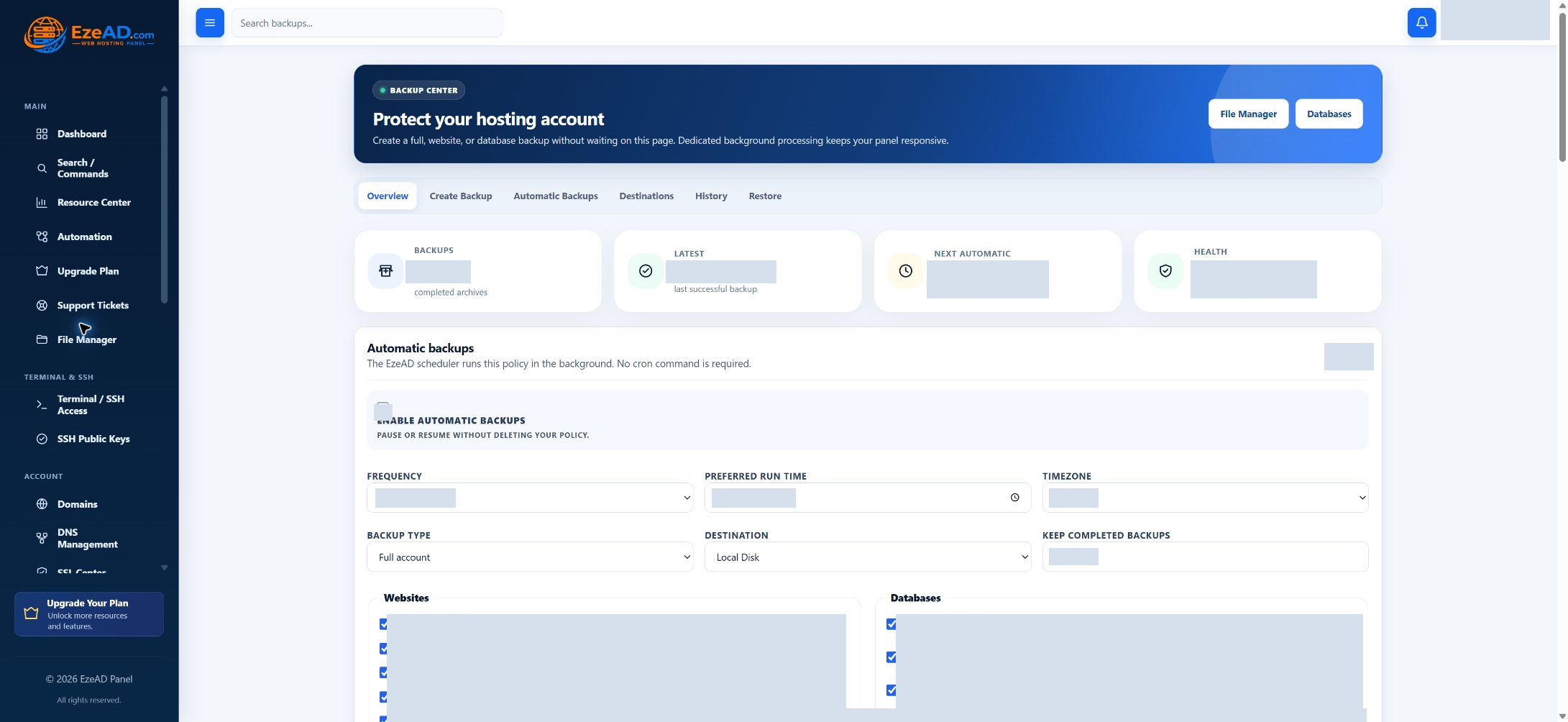
Protect selected website files and databases from your hosting account. Set a backup schedule, follow the archive job and review its evidence before you need to recover a website.
Explore backup coverageSwipe to inspect · tap the image for full context
Start with the data
Choose what you want to protect.
A useful backup begins with a deliberate selection. Keep the website files and database exports needed by the application together, and check the recorded selection in its history.
Website files
Select the hosted websites whose document roots should be archived. This is the website content for those roots, rather than every file and service on the machine.
Database exports
Select the account’s databases for SQL export. A database-only job needs a selected database; keep its export aligned with the application version you intend to recover.
Combined archive
The Full account option combines selected website content and database exports. It is not a full-server image and does not promise mailbox, DNS or operating-system recovery.
Automatic backups
Make the schedule fit the website.
Choose a policy once, then follow the actual jobs it produces. The EzePanel scheduler runs the policy in the background; you do not need to write a separate cron command.
- Frequency
- Daily, every three days, weekly, every fifteen days or monthly. Choose the cadence that fits how often the data changes.
- Time and timezone
- Set a preferred run time and timezone. The next automatic time is shown in UTC; resource availability and worker state can delay execution.
- Copies to keep
- Choose a retained count from 1–30 completed backups. Review the resulting history and storage capacity; retention is not unlimited storage.
- Pause or run now
- Pause the policy without deleting it. Run this policy now queues a manual job without postponing the next automatic backup.
Success and failure notification preferences help you follow the policy. Check the recorded job result as well as your inbox.
Backup destinations
Choose where the copy should survive.
Local disk
A local archive is convenient while the hosting server remains available. It consumes server storage and shares that machine’s failure risk. Keep an appropriate off-server copy when your recovery plan requires one.
Available remote storage
Select eligible destinations configured by your provider, including S3-compatible storage. The administrator manages credentials and destination checks; customers choose from the destinations made available to their account.
The backup job records upload and verification evidence. A destination being available does not prove that today’s data has already been backed up.
Recovery decisions
Restore the right data, deliberately.
Start with the backup date and selected content. Preserve anything newer that you still need before replacing live website files.
Find the completed archive
Check its website and database selection, time, destination and evidence. A queued or failed job is not a usable recovery point.
Choose the recovery scope
Restore files overwrites supported website content in its original document roots. The account must complete additional authentication before this action.
Recover database data separately
The file action does not import SQL. Use the database workflow or ask your provider to coordinate SQL recovery with the restored application files.
Verify the application
Open the website and test the functions that matter. Archive integrity and an isolated extraction test do not establish that a restored application works.
History and evidence
Read the evidence behind the archive.
Progress and errors
Follow the current step, progress and final state. A job can wait for resources or fail at a destination. Retain its identifier and error when asking your hosting provider for help.
Integrity and restore test
Checksum and extraction checks establish properties of the archive. They do not run the website or import its SQL into a live database.
Download and retention
Download a completed archive where available and protect it as private website data. An active backup cannot be deleted through the normal delete action.
Frequently asked questions
Backup questions.
Does Full account include everything on the server?
No. This workflow combines selected website files and database exports. It is not a server image or a promise to include mailboxes, DNS and every account setting.
Does Restore files restore my database?
No. Restore files replaces supported website content in its original document roots. Database recovery requires a separate SQL import and application verification.
Do I need to keep the browser open?
No. A queued backup runs through background workers. Check its final status later; queued is not completed.
Can I use off-server storage?
You can select eligible destinations made available by your administrator, including configured S3-compatible storage. The administrator manages destination credentials and availability.
Connected hosting