Securing a hosting server is a routine, not a single setting. Access, updates, customer boundaries and recovery all matter. This checklist helps you review those areas without assuming that a panel replaces the administrator.
Know who can change the server
Inventory administrators, SSH keys, panel owners and automation credentials. Revoke access through the normal process when it is no longer needed. Individual identities make actions attributable; a shared long password still prevents useful attribution.
Use supported multifactor authentication for privileged interfaces. Keep recovery methods private and test recovery without weakening ordinary authentication. Include the hosting provider account, because it may control server resets or console access.
Review exposed services
Decide which services must be public, customer-accessible or administrator-only. Web, mail and DNS hosting have legitimate network requirements. Generic advice to close every port can break the service.
The following is read-only. Elevated permissions may be required. Plan any later firewall change with out-of-band access; this guide supplies no commands that could lock you out.
ss -lntup
sudo ufw status verbose
Maintain applications as well as the panel
Track OS, PHP, panel, extension and application updates. Back up, plan rollback and test representative workloads after maintenance. Updating the panel does not update every customer plugin or remove a compromised application.
Review file ownership, account permissions and effective limits. Keep status endpoints private and backups outside public document roots. Malware scanning and filtering provide signals and controls, not guaranteed protection.
Prepare for an incident
Maintain verified backups, recovery information and a dependency inventory. Decide who approves disruptive actions and how customers will be informed. Preserve evidence while respecting customer privacy.
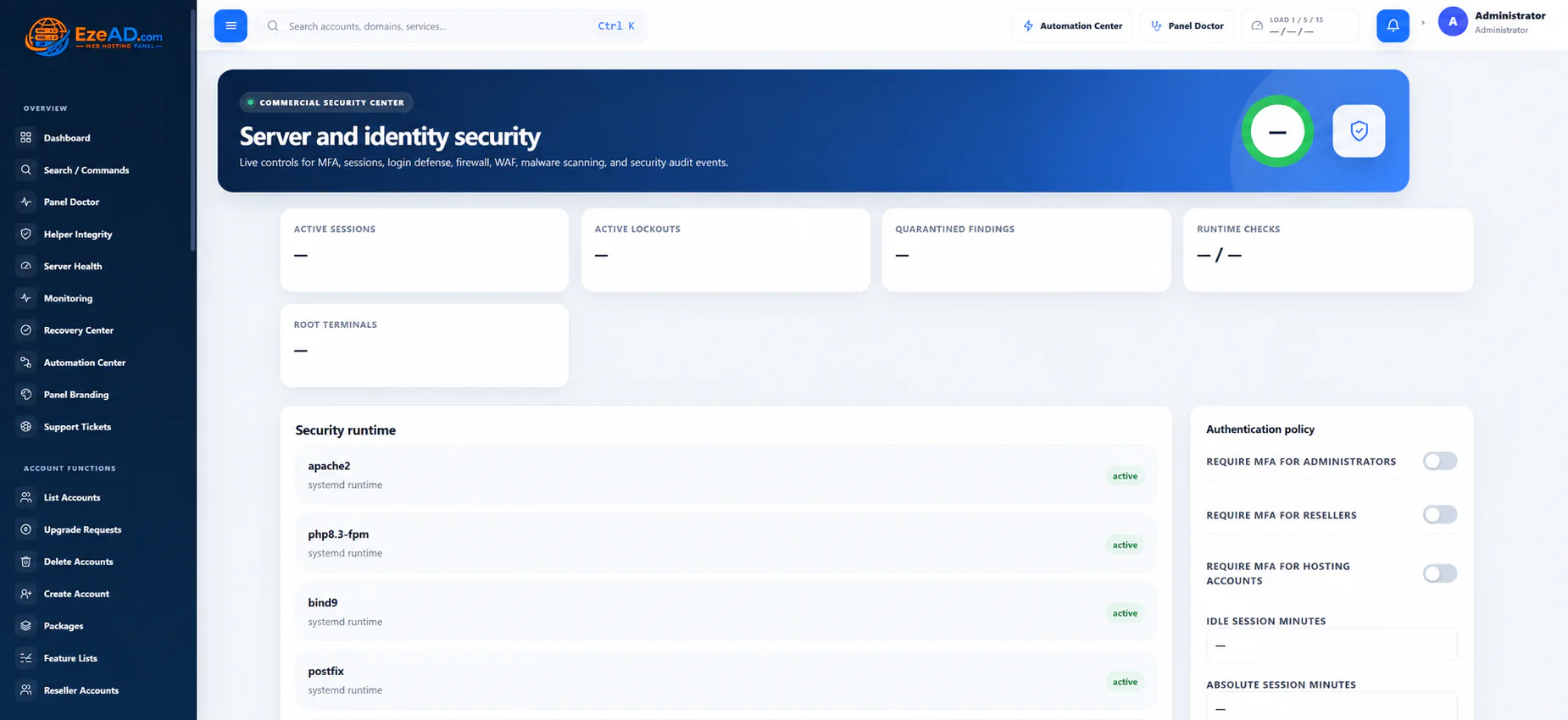
EzePanel’s security, sessions, Helper Integrity and monitoring workflows complement host and application maintenance. Revisit access and recovery after migrations, staffing changes and major releases, rather than treating security as a one-time installation task.
See the workflow in EzePanel
Put the guide in context
Security workflowsResponsible disclosureSources and review notes
Checked 17 October 2026. Vendor terms, supported versions and prices can change. Follow the official source before a purchase or server change.