
Central Monitoring
Spot problems. Understand their impact.
Bring service health, hosting-account impact and incident evidence into one operational view. See what changed, who was affected and what happened next.
Swipe to inspect · tap the image for full context
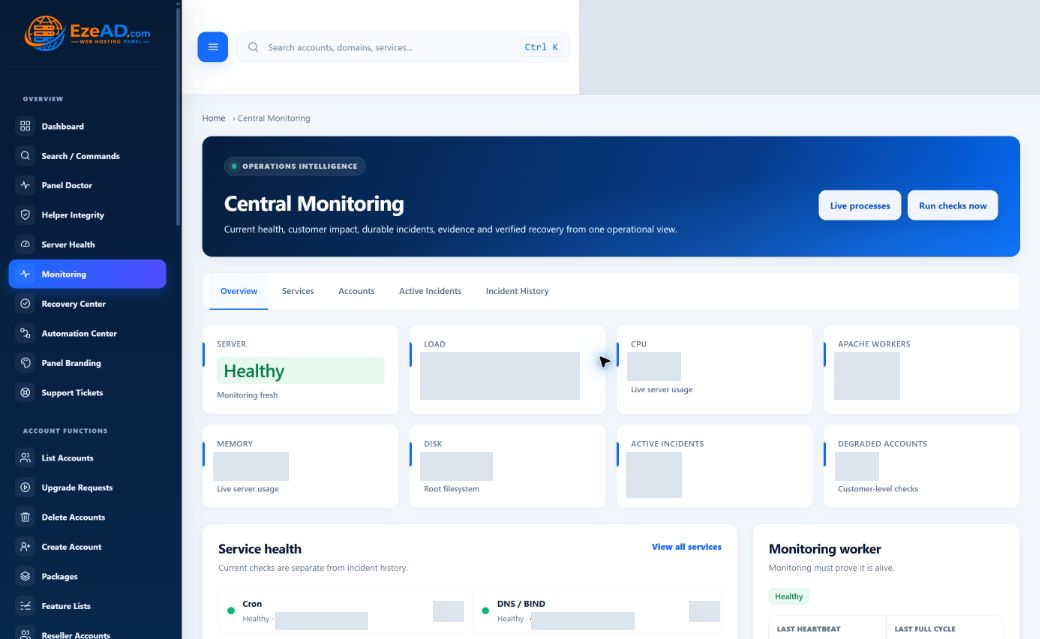
One operational view
Server, service and customer impact — together.
Five connected views help you move from the broad picture to the incident that needs attention.
Overview
Host observations, service health, active incidents and monitoring-worker freshness.
Services
Check state, last check, latency and supporting service evidence.
Accounts
HTTP and resource context for individual hosting accounts.
Active Incidents
Open, acknowledged and recovering issues that still need attention.
Incident History
Recovered and closed incidents, with their recorded timeline.
Detection → understanding → response
Make a failed check the start of a useful story.
An illustrative incident path. The response depends on the affected check, available evidence and recovery policy—not a fixed script for every problem.
Detected
A supported check reports an abnormal state.
Evidence
The incident captures its check and account or service context.
Impact
Operators can inspect the affected scope.
Response
Investigate, or follow an eligible targeted recovery action.
Verified
Subsequent checks establish whether health returned.
Recorded
Keep the history and record an authorized closure note.
Account health
A running service is only part of the customer’s experience.
A service can be running while one account is degraded. Account checks bring HTTP response and resource context closer to the customer affected, so an operator can investigate beyond the global status.
Service perspective
What does the service check report? When did it last succeed? Is its evidence fresh?
Account perspective
What is the account’s HTTP result? How does usage compare with its limits? Which incident needs follow-up?
Evidence that stays useful
A resolved incident should still leave a record.
Keep enough context to investigate recurrence, explain an intervention and hand work to the next operator.
What started it
First abnormal observation, severity, affected scope and check evidence.
What happened next
Recorded events, observations, alerts and any linked recovery attempts.
How it ended
Health returning is recorded separately from an administrator’s closure and note.
Recovered is not the same as closed. A healthy result establishes recovery; authorized closure records the operator’s conclusion.
Swipe to inspect · tap the image for full context
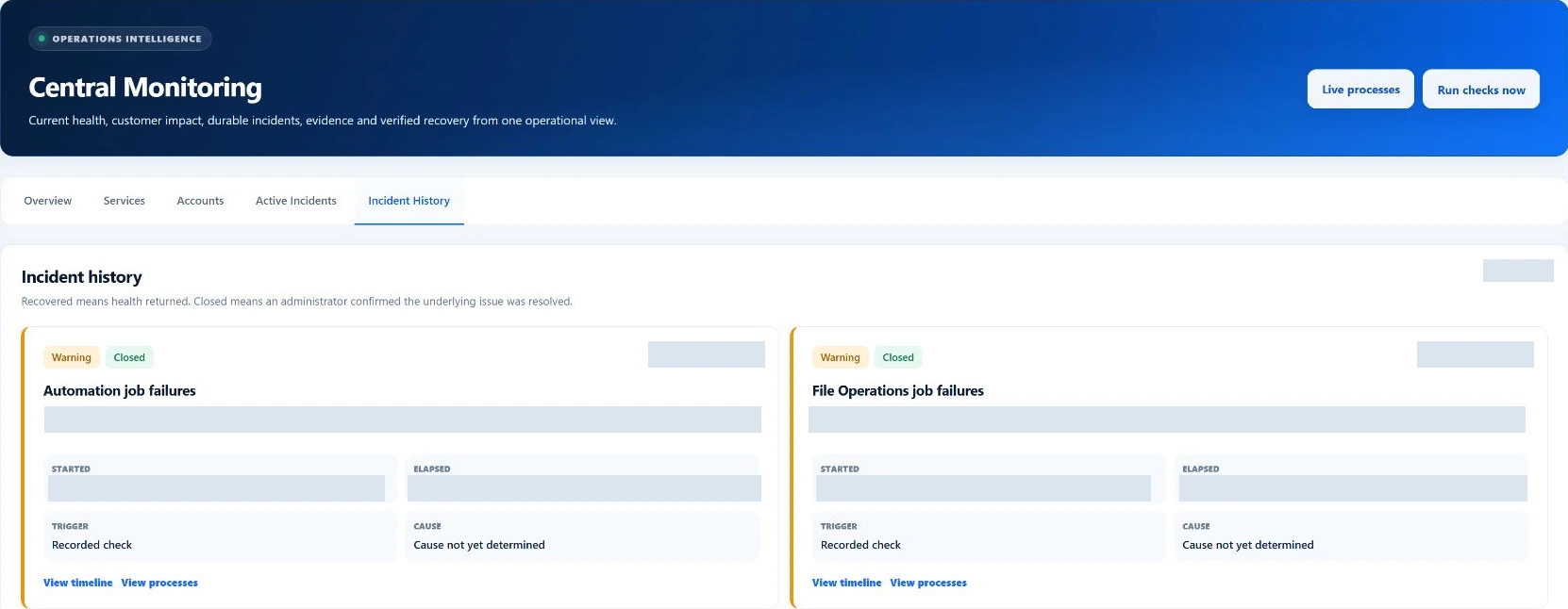
Monitoring + Recovery
Detect and understand. Act and verify.
Monitoring provides the incident context. Recovery Center evaluates supported actions with eligibility checks, attempt limits and cooldowns, then records the result.
This recorded attempt failed. The history shows an outcome to investigate, not proof of successful recovery.
Swipe to inspect · tap the image for full context
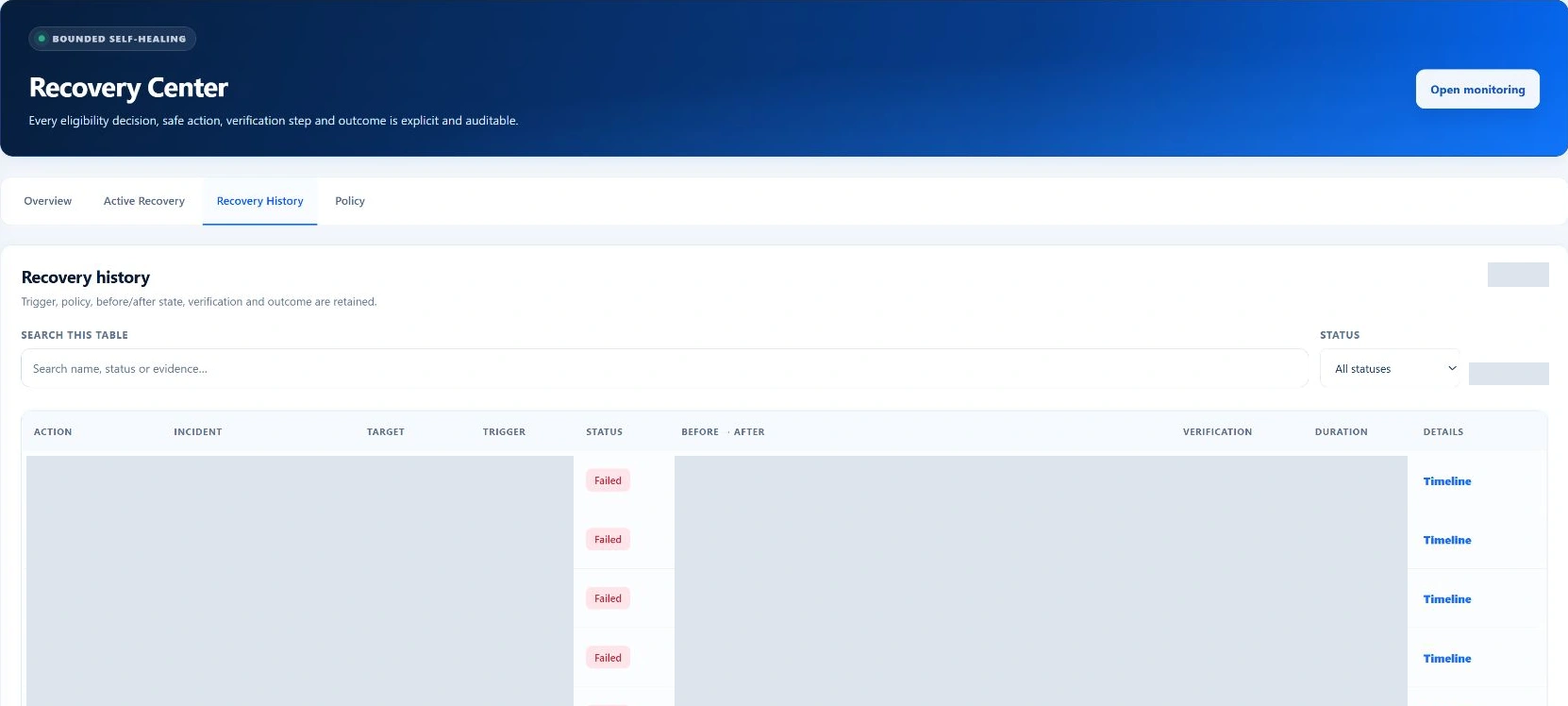
Know when the monitoring ran
Last-check times and worker heartbeat distinguish current observations from stale data. Scheduled checks depend on a functioning worker; these local checks are not an external uptime service.
Explore monitoring details →A little more detail
Good questions. Clear answers.
The practical details behind the product.
What does EzePanel monitor?
Central Monitoring brings supported service checks, server observations, hosting-account HTTP and resource context, worker freshness and incident records into one administrator view. Coverage depends on the installed services and enabled checks.
What creates an incident?
A check reports an abnormal condition through its implemented detection rules. The incident records the affected scope, severity and evidence. Further observations update the incident; a healthy result and an operator closure are distinct events.
Can I see which customer is affected?
Account checks connect available HTTP and resource evidence to a hosting account. This helps distinguish a server-wide service problem from an individual account issue, without assuming that every symptom can be attributed automatically.
Does Monitoring automatically restart services?
Not simply because a status changes. Recovery Center evaluates supported actions separately, using eligibility, policy, attempt limits and cooldowns. Some incidents require investigation and manual action.
How is Recovery Center connected?
Incident records can include recovery attempts and their evidence. Recovery Center handles eligible actions and verification; subsequent monitoring establishes whether health returned. Recovered incidents can then be closed by an authorized administrator with a note.
Is this an external uptime-monitoring service?
No. The inspected account HTTP checks run from the hosting server. They complement local service and resource checks, but do not establish public DNS reachability, public TLS trust or availability from multiple external locations.
One connected hosting platform