
A cPanel alternative with automated backups is useful only if the scheduled copy can support the recovery you actually need. A nightly job may protect a website's files while omitting mail, configuration or a usable database restore path. A completed notification is evidence that an operation finished, not that every possible incident is recoverable. This guide turns “automatic backups” into a practical panel-selection checklist. Compare scope, scheduling, storage, retention and restoration as separate capabilities. It also explains which EzePanel controls exist today and where you still need an explicit recovery plan, so you can evaluate the product without confusing exports with complete disaster recovery.
Define the failure you need to recover from
Start with incidents rather than product labels. An accidental theme edit, a deleted database table, a compromised hosting account and a lost VPS are different failures. The copy and authority required to recover from each are different too. Decide who should perform the restoration and how much missing or unavailable data the business can tolerate.
Recovery point and recovery time are useful planning questions, not guarantees printed by a panel. How recent must the recoverable data be? How long can the service be unavailable while you rebuild it? A schedule can inform the first answer, but only a realistic recovery exercise establishes the second.
For a brochure site, a daily copy may be acceptable. A store accepting orders throughout the day can need a different strategy. Name the workload and its write activity before choosing a frequency or promising recovery times to a client.
Specify files databases and excluded data
Ask exactly what the archive contains. Website files without database content will not recreate a typical dynamic application. A SQL export without application configuration or uploaded media can be equally incomplete. Check whether the panel preserves ownership, hidden files, symbolic links and application-specific data in a form the restore workflow understands.
“Full” is particularly ambiguous across products. It may mean all selected website/database content, a hosting-account backup or an entire system image. These are not synonyms. Mailboxes, DNS zones, cron definitions, certificate material and panel account records may have separate treatment or no supported reconstruction path.
Write a scope table for your own service. If a component is excluded, identify another copy and a documented recovery method. Do not quietly infer that a website-and-database archive contains the operating system or all hosting configuration.
| Component | Selection question | Useful recovery evidence |
|---|---|---|
| Website files | Which roots and uploads are included? | Files restored with expected content and ownership |
| Database data | Which schemas and export consistency apply? | Import into a separate database and application check |
| Email and DNS | Included, separately backed up or excluded? | Mail and authoritative record recovery procedure |
| Host configuration | Account export or independent server recovery? | Rebuild instructions and separately protected settings |
Read schedules as an operating promise
A backup schedule needs more than a daily checkbox. Check timezone, next-run calculation, delayed jobs and what happens after a missed run. A busy server may defer work to protect hosted applications. The interface should distinguish queued, running, completed and failed states rather than making all scheduled work look successful.
Read the timer's actual precision. A selected minute in the interface may be evaluated by a periodic worker rather than executed at that exact instant. Also inspect duplicate prevention, overlapping jobs and how operators learn that no recent successful backup exists. Absence of a failure email does not prove a fresh copy was made.
For agencies, agree on who checks the history and resolves exceptions. A schedule that nobody watches eventually becomes an assumption. Keep a simple report of the last successful copy, its destination and the last recovery exercise for each important workload.
Choose storage and retention deliberately
A local archive is convenient for downloading or recovering from an application mistake. It shares the host's storage failure and compromise risks, however. An off-server copy changes that failure boundary only when credentials, access and retention are designed appropriately. A writable remote bucket is not automatically an immutable vault.
Review rotation carefully. Know whether a policy retains a count of archives or a period of time, whether failed copies affect pruning and whether manual backups share the same retention pool. Reserve storage for temporary files, exports and verification as well as the final archive. Running out of space can affect production workloads.
EzePanel has local storage and an S3-compatible destination adapter. That is narrower than a claim that every cloud provider, protocol or storage feature is supported and tested. Additional provider integrations and broader recovery work should be evaluated separately from currently implemented destination controls.
Compare the recovery workflow
cPanel documents administrator backup configuration, retention and additional destinations; its customer Backup Wizard does not restore a complete account by itself. Plesk documents scheduled backup and restoration workflows. Compare the permissions and scope your team will actually use, rather than treating these as equivalent because both products mention backups.
For every candidate, ask for a demonstration that starts with a saved copy and ends with a working application in a separate location. Inspect database import behavior, target ownership, existing-data replacement rules and progress reporting. Check how the system handles a failed or interrupted restore without assuming a retry is harmless.
A checksum establishes that bytes match an expected archive. Extraction checks establish something else. Neither establishes that a recovered application can log in, write to its database or send necessary mail. Keep these evidence levels separate when evaluating a vendor's verification label.
What EzePanel backup controls currently provide
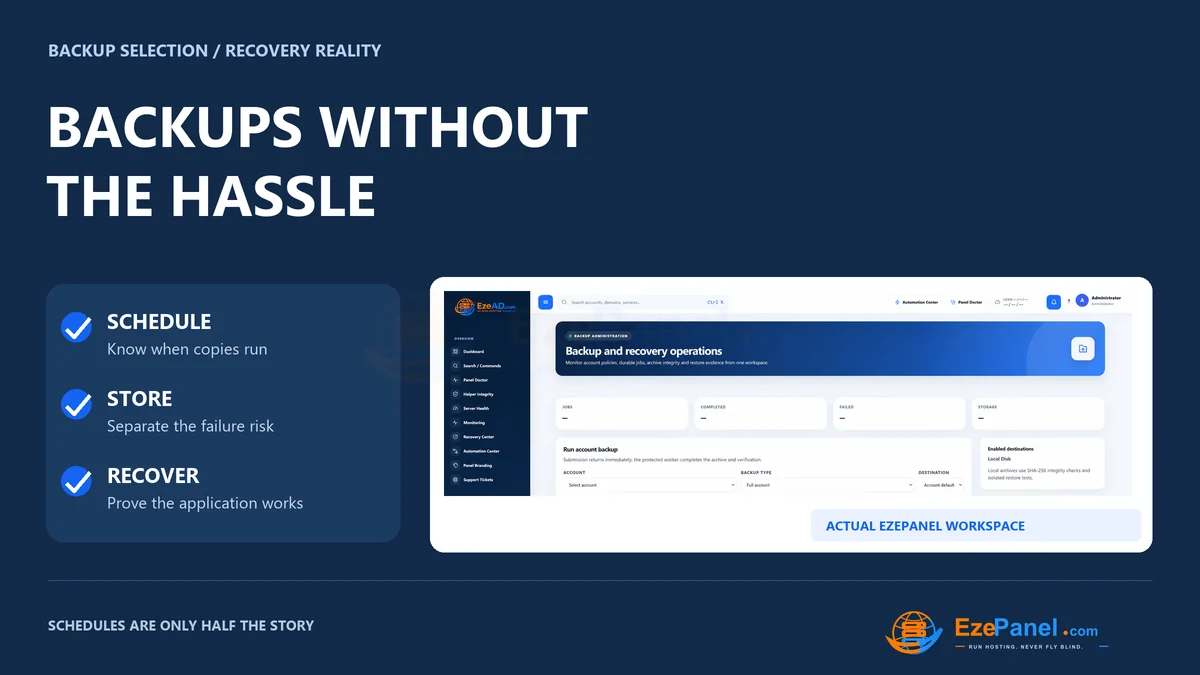
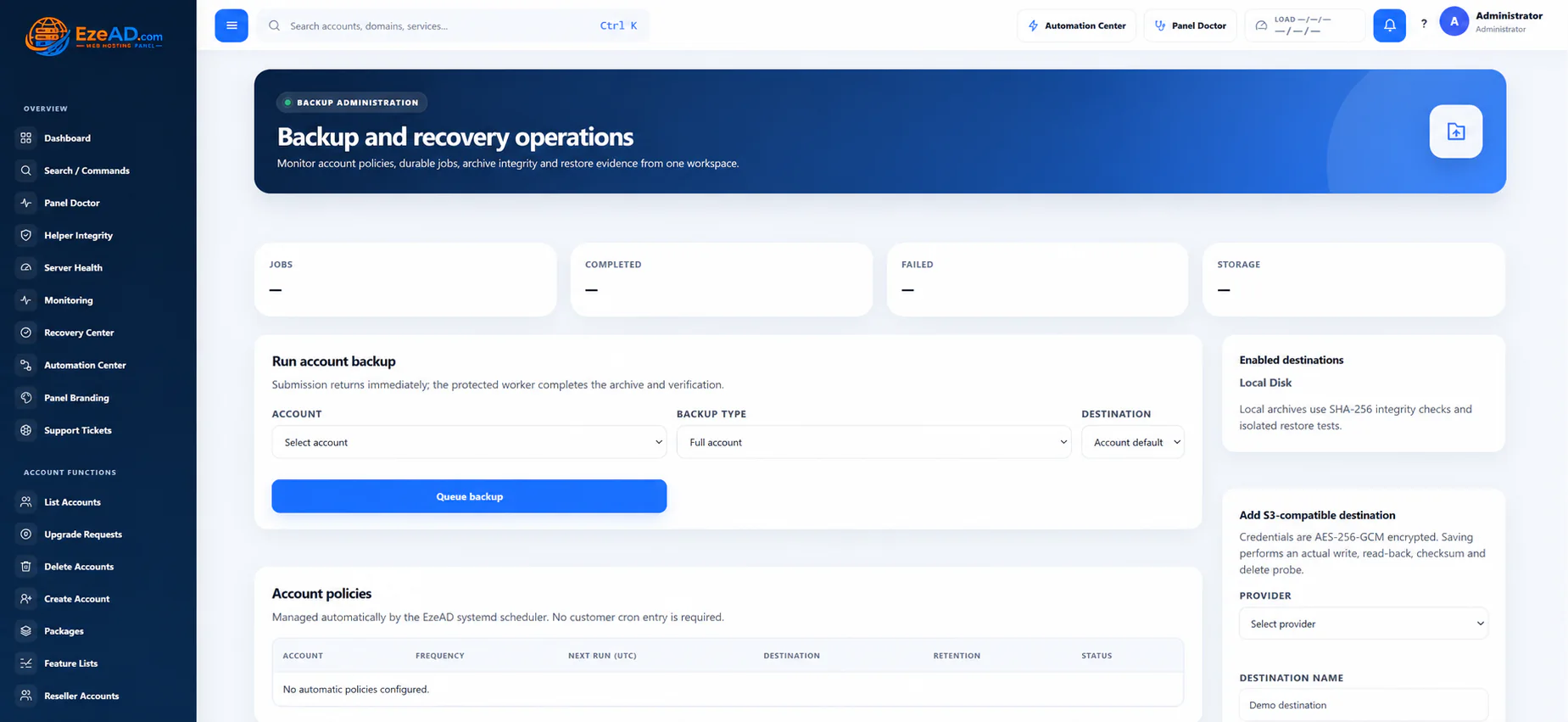
EzePanel includes background website/database backup jobs, private archive storage, protected downloads, history and account scheduling. The schedule model supports several cadences, a timezone, retention preferences and notification settings. Its S3-compatible path includes upload and read-back integrity checks. Operators can inspect saved failures instead of relying on an unsupervised command.
The important boundary is restoration. The reviewed implementation provides website-file restore and SQL exports, but it does not establish a complete database-restore workflow or recreation of every hosting-account component. Its isolated archive checks should not be described as a successful SQL recovery rehearsal. The backup audit also identifies scheduling, retention and verification reliability work that needs completion.
Evaluate these controls for their demonstrated scope. If you require complete account recovery today, make that a separate acceptance requirement and keep an independent verified recovery method. Do not sell a broader recovery promise merely because a combined export is available.
Run an example recovery exercise
Consider an illustrative agency site with a small catalogue database and customer-uploaded images. Create a known file and a known database row, then produce a selected backup. Record what was included, where the copy was stored and which errors or warnings were reported. Do this on disposable data, not by experimenting on a client's only live copy.
Restore files to an isolated target through the supported workflow. Import a database export into a separate database using an authorized method, then configure the test application to use it. Confirm the known row, media, login and write operation. Record which steps were manual; a manual SQL import is not proof the panel automates database restoration.
Finally, measure the complete process and check newer production data was untouched. If the exercise depends on knowledge held by one person, document it. A recoverable service requires the copy, access and procedure together.
Ask these questions before choosing
Use automated backups to reduce repetitive copying, while keeping recovery ownership explicit. A suitable panel makes the state understandable, keeps copies within authorized scope and supports the recovery operations your service depends on. Future features should not carry today's customer commitments.
If EzePanel's present website/database export and schedule workflows fit your evaluation, inspect them in a supported trial environment. Compare the evidence against the other shortlisted products and retain your recovery test record. That is a stronger buying decision than selecting the panel with the longest list of backup destinations.
- Which data is protected, and what is explicitly excluded?
- How are missed runs, resource deferrals and stale copies reported?
- What survives loss of the VPS or compromise of its credentials?
- Which retention rules affect manual and scheduled archives?
- Can the required files and databases be restored safely into separate targets?
- What application-level checks demonstrate recovery, and who owns them?
Where to go next
Sources & further reading
Official documentation for the topics in this guide. Check current vendor requirements before a purchase or server change.