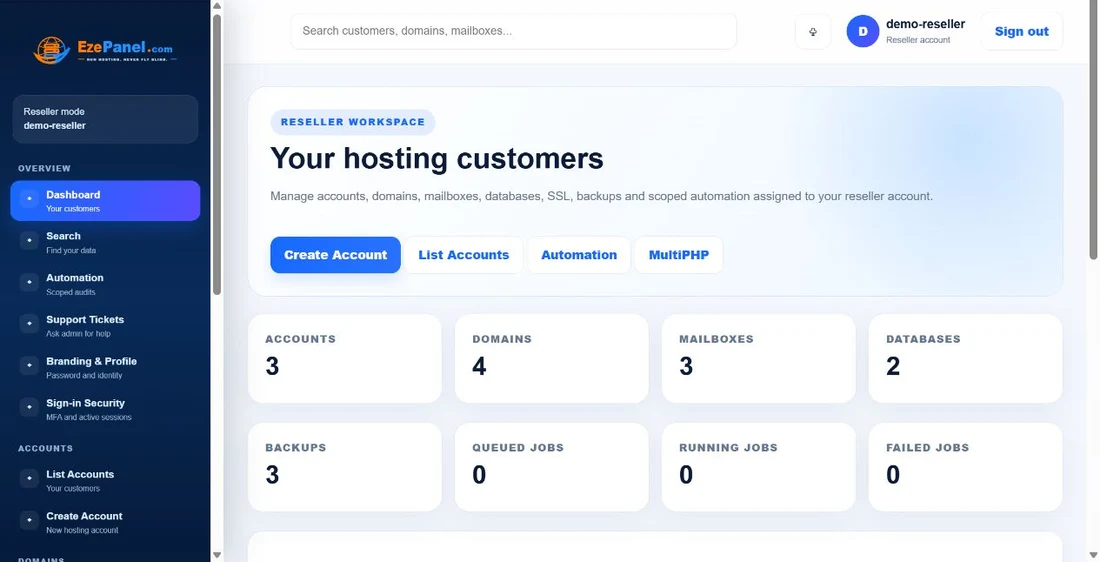
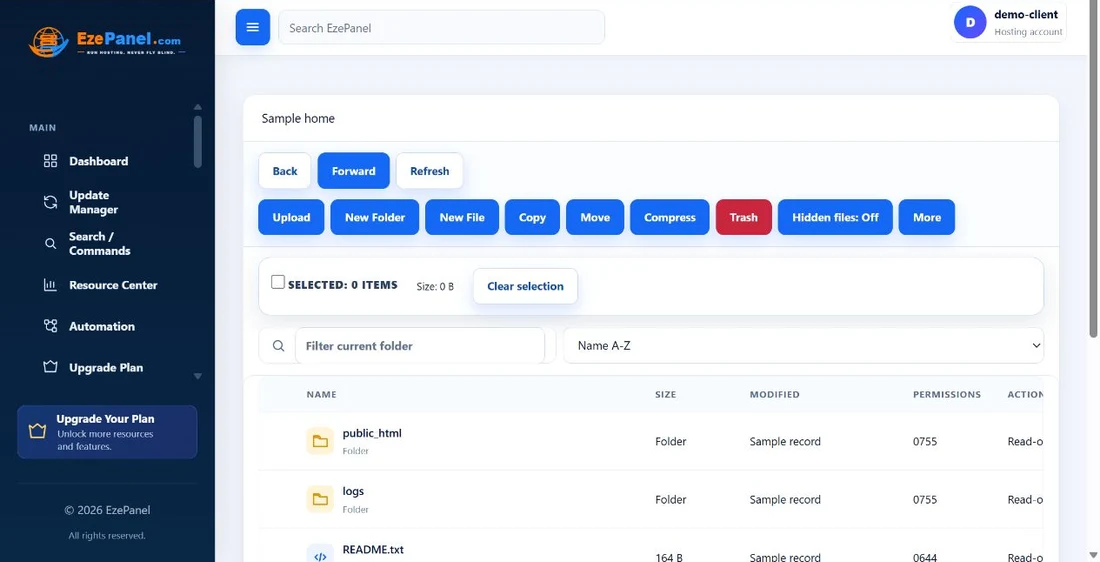
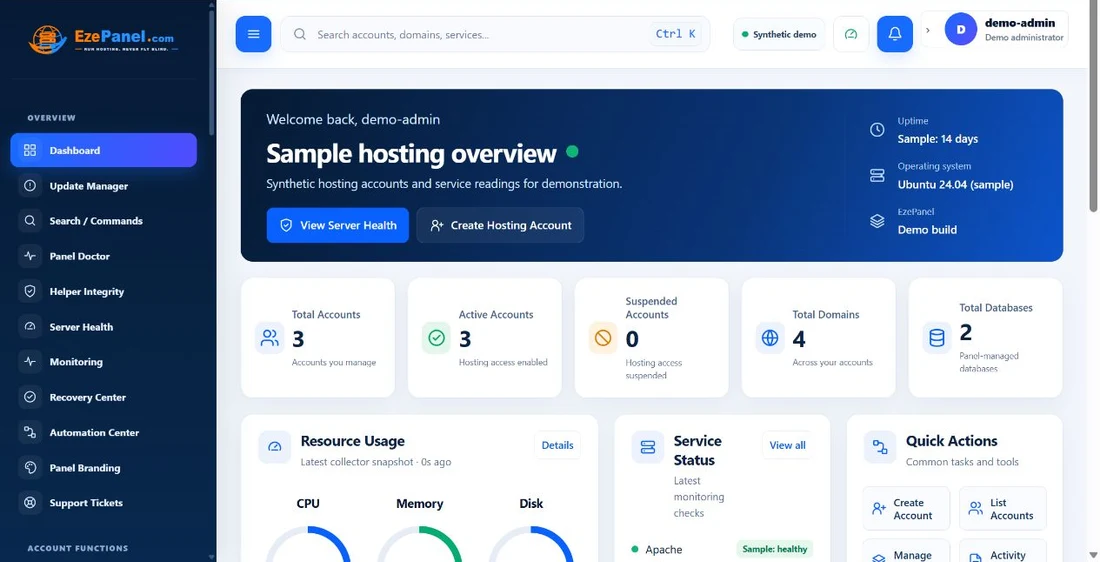
Explore the real EzePanel hosting control panel through interactive Admin, Reseller and User dashboards. Discover how EzePanel simplifies server administration, hosting account management and everyday website operations.
Discover the latest development interfaces with illustrative sample data. These are read-only previews; installer availability and qualified capabilities may differ.
WORDPRESS WEBSITES
WordPress Manager
Explore website cards, plugins, themes, staging, security and backup views.
Also preview the refreshed User dashboard, expanded Quick Access, readable automation history, Issue Center and Notification Center. Choose Admin to explore incident diagnosis and notification management. Server operations, uploads, deployment, restore and credentials remain disabled in the public demo.
GET STARTED IN MOMENTS
How the EzePanel Live Demo Works
Choose Your Panel
Select Admin, Reseller or User based on the EzePanel experience you want to explore.
Explore the Real Interface
Navigate actual EzePanel screens, inspect sample hosting accounts and discover how the tools are organized.
Start Your Own Server
When you’re ready, start your EzePanel trial and install the full software on your own supported server.
MAKE AN INFORMED CHOICE
See What EzePanel Can Do Before Making a Decision
Choosing a hosting control panel means understanding how it works, how easy it is to navigate and whether its tools fit your hosting requirements.
That’s why we provide a live demo. Go beyond screenshots and feature lists to see how EzePanel organizes server administration, hosting accounts and website management.
Discover the different Admin, Reseller and User experiences.
Evaluate the Workflow
Explore hosting management tools at your own pace.
A Safe Environment for Exploring EzePanel
The demo uses sample information and restricted operations so visitors can explore without affecting real servers or customer websites. Sessions are temporary, and monitoring information is synthetic. Terminal commands, real updates, restores and other privileged operations cannot execute. Full functionality requires an appropriate EzePanel installation.
Yes. You can explore the demo free of charge, without entering payment details.
Do I need an account to explore it?
No. Choose a panel to start a temporary guest session. There is no shared password and no registration step.
Can I access all three panels?
Yes. Start with Admin, Reseller or User, then use the panel selector in the demo banner to switch workspaces.
Is this the actual EzePanel interface?
The demo combines real EzePanel template exports and curated previews of newer development workspaces, using sample records. Monitoring information is synthetic; the demo is not connected to a customer server.
Why are some actions disabled?
The demo restricts operations that could change a server or customer data. Terminal commands, real updates, restores and provisioning cannot execute. You can explore these tools through the interface.
Can I create a real website in the demo?
No. Sample domains, files and accounts are provided for exploration. Start a trial and install EzePanel on your own supported server to manage real websites.
How long does a demo session last?
A guest session lasts approximately 20 minutes. You can start another session when it expires.
How do I try EzePanel on my own VPS?
Create an EzePanel account, check trial eligibility and obtain the authorized installer command for a clean Ubuntu 22.04 or 24.04 server. Follow the installation guide and activate your license.
FROM EXPLORING TO HOSTING
Ready to Experience the Full EzePanel?
Start your EzePanel trial and discover how the complete panel works on your server.

 Explore workspace