
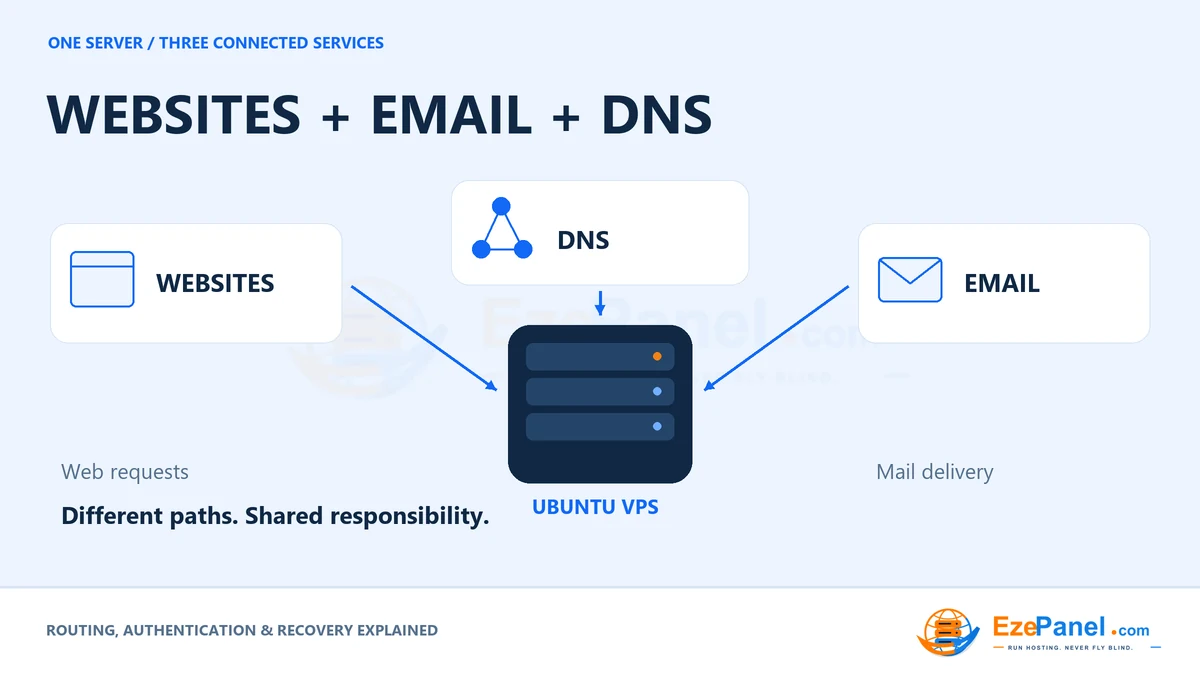
Ubuntu VPS hosting with email and DNS puts several connected services under one operator. A website can load while incoming email fails, and a mailbox can accept a login while its domain is not recognized for delivery. To operate the combination reliably, follow each service path separately and decide which parts belong on the VPS and which remain with your DNS, mail or infrastructure provider.
Follow the website, DNS and email paths separately
A browser resolves a hostname, connects to the published address and requests the website. An incoming mail server looks up the recipient domain's MX record, connects to that mail host and asks whether the recipient exists. An email client authenticates to submission or mailbox services. These are different paths even when one machine handles them all.
Draw a short inventory for each domain: website hostnames, authoritative DNS provider, mail exchanger, submission endpoint and mailbox endpoint. Include external services and any proxy in front of the website. This prevents a common mistake: changing a web record during a site move and accidentally redirecting an unrelated mail service. Treat the inventory as part of the migration and recovery record.
Build a mail identity before creating mailboxes
Choose a stable mail hostname, such as mail.example.com, with an address that reaches the mail server. Arrange reverse DNS with the IP provider and check the matching forward record. Confirm the provider permits the mail traffic you need before moving business email. An installed mail package cannot remove a provider's port restriction or repair a poor IP reputation by itself.
In a hosting panel, the domain must be registered for the intended local-mail route and associated with the correct account. Creating a mailbox is not enough if SMTP does not recognize its domain. If email stays remote, preserve that routing and the existing MX records. Test delivery after changing domain or account state, not only after entering the mailbox password.
Understand what each mail DNS record does
MX identifies the receiving mail host; that host also needs usable address records. SPF describes authorized sending infrastructure. DKIM lets receivers validate a message signature using a published public key. DMARC builds policy and reporting around alignment with the visible From domain. These mechanisms complement one another; none is a universal inbox-delivery switch.
Inventory every legitimate sender, including website forms, transactional providers and office mail. Maintain a single coherent SPF policy rather than adding competing SPF records. Publish the correct DKIM selector and verify real messages. Introduce DMARC policy with an understanding of current senders and reports, so a stricter policy does not unexpectedly reject legitimate mail. Recipient providers have their own requirements, which should be reviewed directly.
| Record or setting | Purpose | Common operational mistake |
|---|---|---|
| MX and mail-host A/AAAA | Route incoming mail to the receiving server | Leaving MX on an old provider or publishing unreachable IPv6 |
| SPF TXT | Describe permitted senders | Adding a second SPF record instead of updating the existing policy |
| DKIM TXT | Publish the message-signing verification key | Using the wrong selector or an outdated public key |
| DMARC TXT | Define alignment policy and reporting | Enforcing a policy before identifying legitimate senders |
| PTR at the IP provider | Identify the sending IP in reverse DNS | Assuming a normal DNS-zone edit changes reverse DNS |
Keep encryption, authentication and delivery separate
TLS protects a connection when properly negotiated and validated. It does not grant a sender permission to relay messages, prove the recipient exists or replace SPF and DKIM. Mail clients commonly use authenticated submission and IMAP over TLS; configure the actual supported ports, certificate names and connection mode rather than copying a website URL into the mail client.
Verify that your server rejects unauthorized relaying and nonexistent recipients while accepting legitimate local delivery. Do not enable an open relay to fix a delivery problem. Test an external incoming message, confirm it reaches the mailbox and read it through IMAP. Then test authenticated outgoing mail and inspect its authentication results at the destination. A successful TCP connection is only the beginning of that verification.
Account for proxies and provider restrictions
A normal HTTP reverse proxy does not automatically proxy SMTP or IMAP. With Cloudflare's standard web proxy, a dedicated mail-server hostname should use a DNS-only address record unless you have a separately supported transport arrangement. Keep the web hostname and mail hostname roles clear. A website can remain proxied while mail connects directly to its intended endpoint.
For website certificates, HTTP validation must reach the correct challenge path through any proxy, redirect and firewall. DNS validation is another option when an appropriately scoped DNS integration is configured. Neither method should be assumed to work without checking the actual validation result. Certificate issuance for the origin, the browser-facing certificate and mail-service certificates may follow different deployment paths.
What EzePanel manages and what remains external
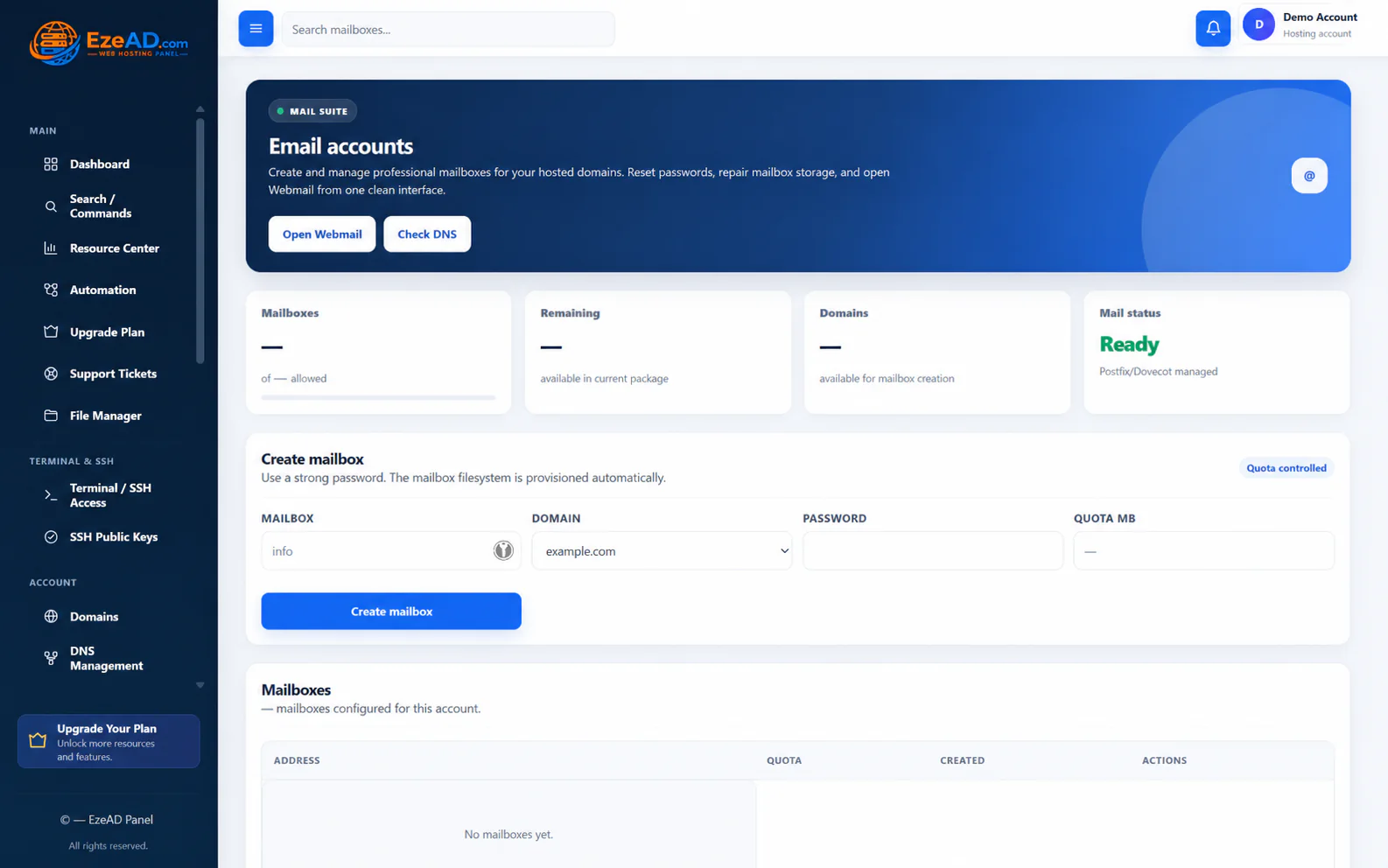
EzePanel connects domain, DNS, SSL, mailbox and operational workflows through its hosting accounts. Administrators can inspect mail services and queues; account users manage supported mail and website controls within their permissions and package limits. Check the actual job result and public behavior when a change completes.
The VPS provider still controls its network restrictions and reverse-DNS delegation. External DNS changes must reach the authoritative provider, and receiving networks decide how to handle incoming messages. EzePanel cannot guarantee inbox placement or make another provider accept an IP. Use the panel to organize local work and diagnostics, then resolve the dependency identified by the evidence.
Launch and troubleshoot in stages
Start with a disposable domain or a planned transition window. Validate DNS answers, the website route and certificate before moving mail. Preserve old MX details and service access until you have reconciled the transition. When a check fails, identify the failing layer instead of repeatedly recreating mailboxes or toggling unrelated settings.
If mail is rejected before acceptance, inspect the SMTP response and domain/recipient routing. If accepted but absent from the inbox, inspect queue, local delivery and mailbox access. If outgoing mail reaches spam, investigate sender authentication, reputation and recipient policy. This staged approach makes Ubuntu VPS hosting with email and DNS understandable, while keeping changes narrow enough to recover safely.
- Confirm DNS authority and expected A, AAAA and MX answers.
- Check provider port policy and forward/reverse mail identity.
- Publish and validate sender authentication for all legitimate senders.
- Test incoming delivery, mailbox access and authenticated outgoing mail.
- Verify invalid-recipient and unauthorized-relay rejection.
- Document backup scope and the DNS/mail cutover plan.
Where to go next
Sources & further reading
Official documentation for the topics in this guide. Check current vendor requirements before a purchase or server change.