
Choosing an Ubuntu hosting panel for PHP and MySQL starts with your applications. A dashboard may let you select a PHP version and create a database, yet the deployment can still fail because a CLI job uses a different interpreter, an extension is missing or a database user lacks the right permissions. Evaluate the complete application journey, from runtime selection to backup recovery, rather than two isolated feature checkboxes.
Start with the application's compatibility requirements
For each application, record its supported PHP range, extensions, database engine and version, required character set, web root and background jobs. Include dependencies such as Composer packages, image processors or an encoded application's loader. A PHP version present on the server is not proof that every extension or third-party component supports it.
Check upstream support status as well as application compatibility. An older runtime that keeps an abandoned plugin alive may increase maintenance risk. Plan upgrades using a separate environment and representative data. Avoid changing all client applications to a newer PHP branch simply because a panel offers that selection. Compatibility belongs to the application and its dependencies, not the visual version selector.
Separate web PHP from command-line PHP
A PHP-FPM pool serves website requests, while scheduled commands may use whichever PHP binary their job definition specifies. These can be different versions with different extensions and configuration. A site that loads correctly in the browser may still fail during its scheduled queue or backup task. Check both contexts when you record a deployment.
Use explicit runtime paths for managed application jobs where appropriate. Inspect PHP configuration in a private diagnostic context rather than leaving a public phpinfo page that exposes server details. In EzePanel, MultiPHP and related controls provide supported runtime-management workflows; verify the chosen account/domain context and operation result before assuming all associated commands changed with the website.
php --version
php --ini
php -m
Choose meaningful PHP-FPM controls
PHP-FPM worker limits affect concurrency and memory pressure. More workers can reduce a queue when capacity exists, but they can also exhaust memory or flood the database with connections. Measure busy application behavior, response latency and server headroom before changing limits. Account for the database, mail, OS and other pools sharing the same VPS.
A panel should make ownership and effective settings visible. In EzePanel, account resource policy and PHP controls are related management surfaces. Do not assume every website has an independent resource budget when multiple sites share an account or pool. Review the actual account layout. The existing PHP-FPM worker guide explains tuning in depth; use it alongside application measurements rather than a universal worker-per-gigabyte rule.
Treat database users as an access boundary
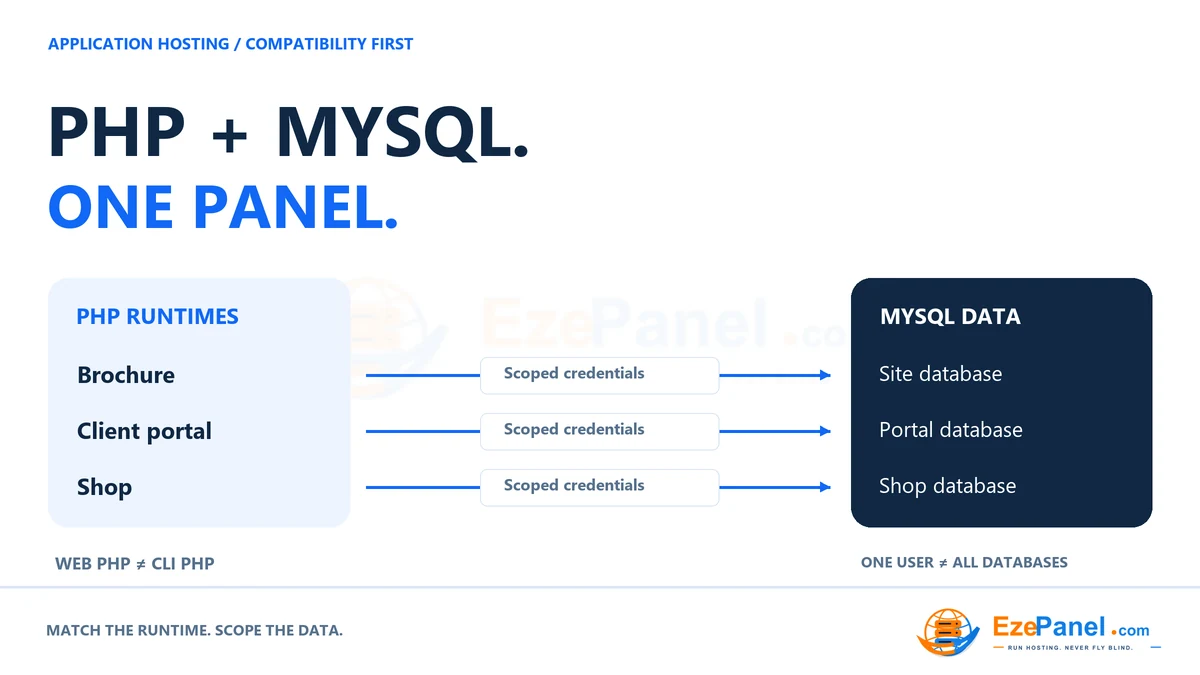
Give applications database credentials scoped to their own data. Reusing a server-wide root account in every application turns one exposed configuration file into a much broader incident. Keep passwords out of public web roots where the application permits, restrict file access and avoid writing secrets into support messages, screenshots or command history.
Decide separately which privileges an application needs during normal requests and during installation or schema changes. Some applications require reviewed DDL privileges for upgrades; others can use a more restricted runtime user and a separate deployment identity. Confirm the application's requirements before removing privileges, and never grant global access merely to make an unexplained error disappear. Review both the database name and the user's grants.
Use phpMyAdmin in the correct account context
A browser database interface is useful for inspecting tables, importing an export and checking application data. It should not erase the distinction between a hosting customer and the server administrator. Verify that the selected login can access only its intended databases and that imports target the correct destination.
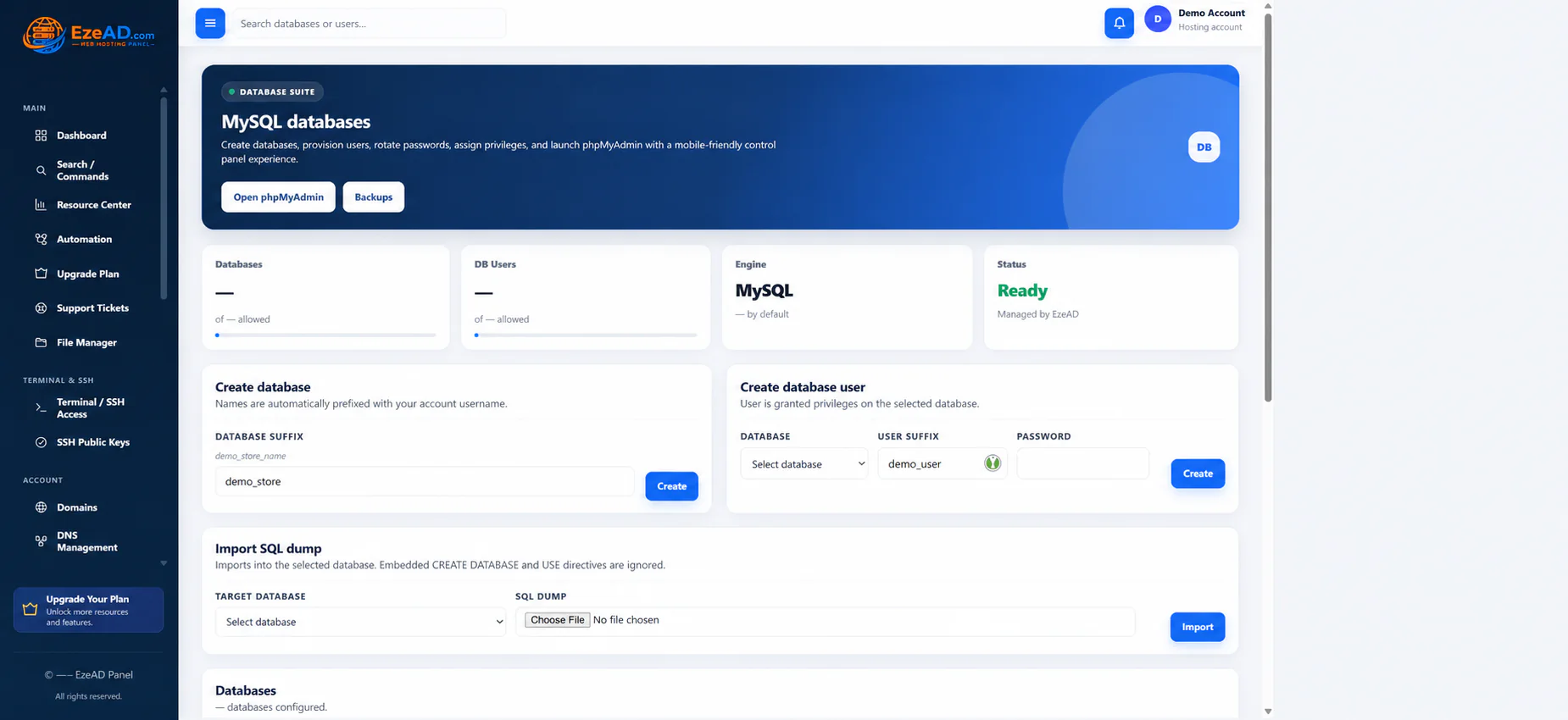
EzePanel's database workflows create account-owned databases and users with permission checks and package limits. Its phpMyAdmin integration provides a related access path. Large exports may need a supported alternative to browser upload limits, and an import can still fail because of engine-specific syntax, collations or privilege requirements. Read the import result and verify expected rows; an upload finishing does not prove that the application data is complete.
A realistic example: three PHP applications
Imagine a brochure site, a client portal and a shop on one Ubuntu VPS. The portal requires a specific extension, while the shop has background jobs and changing order data. Start by separating unrelated owners into accounts. Assign each application its own database credentials and record its supported web and CLI runtimes.
Launch one application at a time. Check the web root, file permissions, database connection, scheduled jobs and HTTPS behavior before adding load. If the shop needs a different PHP version, verify that choice without changing the other accounts. The example is an operating sequence, not a claim that three arbitrary applications fit a particular VPS size.
| Example application | Compatibility focus | Acceptance check |
|---|---|---|
| Brochure site | Theme/plugin PHP support and upload handling | Public pages, forms and expected assets |
| Client portal | Required extensions, sessions and database permissions | Login, a scoped read/write action and scheduled work |
| Shop | Worker concurrency, queue runtime and data recovery | Checkout flow, background jobs and a verified recovery plan |
Back up data before application changes
Application code and database state evolve together. Before an upgrade, establish what data can be restored and how you would handle newer writes. Reverting PHP files after a schema change may not produce a working application. Restoring an old database can discard new orders or messages. Agree a recovery design appropriate to the application's behavior.
MySQL logical exports have consistency and privilege considerations; a single-transaction export is not a universal consistent snapshot for every storage engine or concurrent schema change. Review the database manual for the selected engine and backup method. EzePanel's supported backup jobs and schedules help organize the operation, but verify the resulting export and restore in a safe destination. Keep an off-server copy and protect sensitive data inside it.
Diagnose performance across the request path
A slow PHP page may be waiting on a database query, remote API, disk or session lock. Raising PHP memory or worker limits without identifying the delay can make the server less stable. Compare application response time with PHP queue behavior, database activity and account resource pressure. Check whether the symptom affects one site, one account or the entire server.
Use EzePanel's Server Health and monitoring views for operational context, then inspect the application-specific evidence. Unavailable telemetry is a visibility gap, not a zero reading. For persistent incidents, record the time window and a repeatable request so changes can be evaluated against the same symptom. Prefer a narrow, reversible adjustment over several simultaneous configuration changes that obscure the cause.
Evaluate the complete PHP and MySQL workflow
A useful Ubuntu hosting panel for PHP and MySQL should connect the routine pieces: account creation, runtime choice, database permissions, application deployment, HTTPS, monitoring and recovery records. Test the User Panel as well as administrator controls, because delegated customers need an understandable way to operate within their package.
EzePanel exposes these related workflows on supported Ubuntu installations. Use its trial or a disposable evaluation server to inspect your actual applications, including failure cases such as an incorrect database password or a missing extension. Compare what the panel manages with your deployment process and support needs. The strongest fit is a system your team can explain, operate and recover, rather than the one with the largest version list.
- Inventory PHP, extensions, database and loader requirements.
- Verify web and CLI runtimes independently.
- Use separate application database credentials and review grants.
- Validate imports, uploads, sessions and background jobs.
- Measure resource behavior before increasing concurrency.
- Confirm backup scope and application-compatible recovery.
Where to go next
Sources & further reading
Official documentation for the topics in this guide. Check current vendor requirements before a purchase or server change.