
A Plesk alternative for multiple PHP websites needs to preserve more than a list of domains. Each application has its own runtime, extensions, scheduled commands, database access and recovery needs. A single successful page load does not prove the whole portfolio is compatible with a new panel or Ubuntu environment. Start with an application inventory, then compare the controls and operating model that will keep those applications maintainable. This guide focuses on PHP portfolios: runtime selection, PHP-FPM capacity, database boundaries and safe changes. It introduces EzePanel's relevant workflows while keeping application testing and operator responsibility explicit.
Inventory the applications before the panels
List every application and its owner, hostname, PHP requirements, extensions, database engine, scheduled jobs and background workers. Include file permissions, writable directories and external integrations. A small legacy application can be the most difficult item in an otherwise modern portfolio if its requirements are not understood until cutover.
Check the framework or vendor's own supported runtimes. “It runs on PHP” does not mean it supports every maintained PHP branch. Avoid keeping an obsolete runtime indefinitely merely because a panel can display it. Plan a separately tested application upgrade where necessary and distinguish that project from changing hosting software.
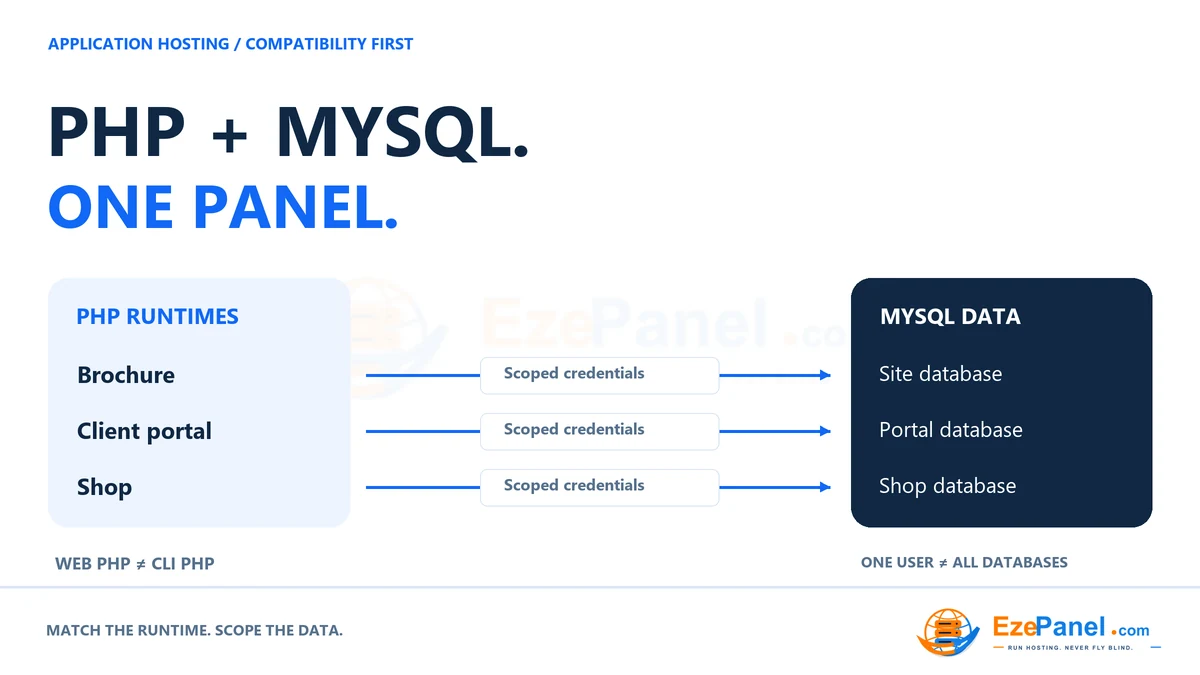
Record the current command-line interpreter as well as web PHP. A scheduled task or Composer command can use a different PHP binary from the website. Moving the web handler successfully while cron continues with an incompatible CLI version is a common source of confusing failures.
Separate PHP version handler and pool
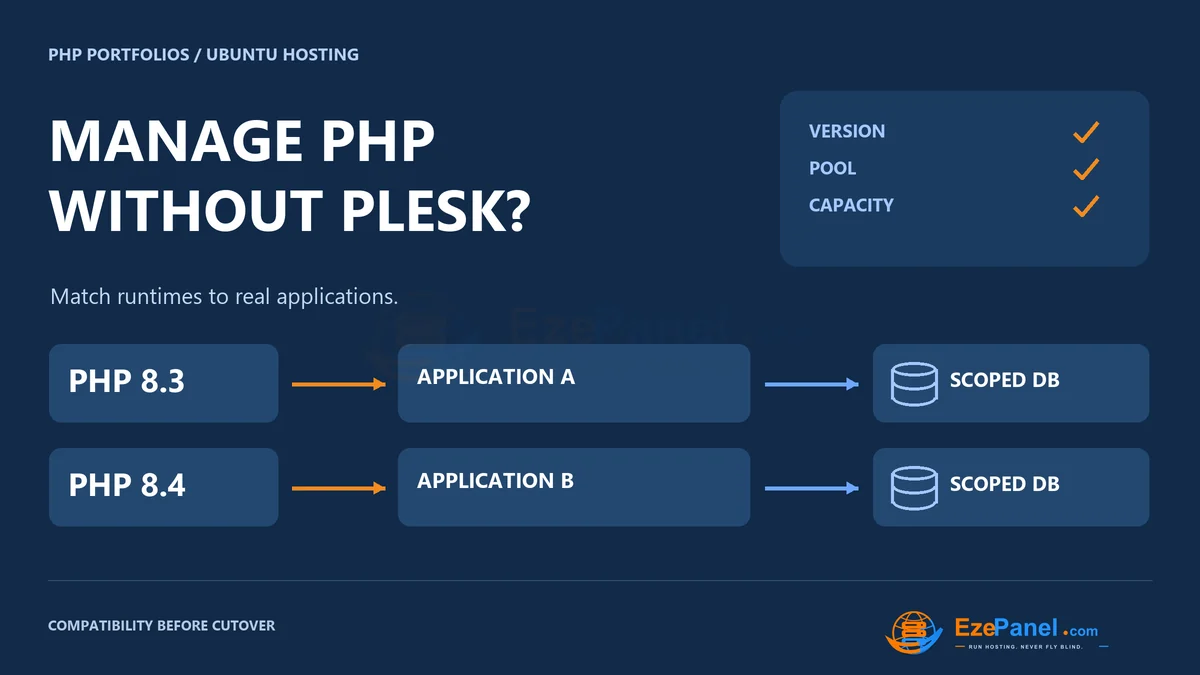
A PHP version identifies the interpreter branch. A handler describes how the web server passes requests to it. PHP-FPM manages worker pools and their process behavior. These are related settings, but selecting a version alone does not establish pool ownership, request capacity or application compatibility.
PHP's FPM manual distinguishes static, dynamic and on-demand process management and documents the pool's worker limit. Treat configuration changes as workload decisions. More workers can admit additional simultaneous PHP requests, but they also need memory and can increase pressure on the database. Fewer workers may protect the host while creating a request queue.
In a panel evaluation, inspect the available website-level choices and where account-level settings apply. Establish which changes are queued, which require administrator permission and how failures are reported. A control should not be assumed effective simply because the interface saved a value.
Budget workers across the whole VPS
Estimate PHP demand from actual applications and traffic patterns, then leave headroom for the database, web server, mail services and system tasks. A portfolio with many mostly idle sites behaves differently from a few applications receiving simultaneous uncached requests. Website count alone is a poor sizing metric.
Use observed memory and request behavior to guide worker limits. Do not multiply one universal “memory per PHP process” number by the number of domains and call it a capacity guarantee. Extensions, application code and request paths can change process size substantially. Review measurements after launch and after significant application updates.
For an illustrative portfolio, a cached public site, a store checkout and a long-running import task deserve different treatment. A background import should not quietly consume every web worker. Identify scheduled or asynchronous workloads and give them an appropriate process and resource plan.
Keep database access scoped
Give applications only the database access they require. Separate database users and schema privileges make ownership and later handover easier. They also reduce the chance that changing one application's credentials disrupts another website that unknowingly shared them. Keep passwords in private application configuration and a managed secret store.
A database list is not proof of a working application connection. During evaluation, create a permitted database and user, import representative data through the supported workflow, then confirm the application's own reads and writes. Check character sets, SQL compatibility and any assumptions about source database names or server addresses.
Database protection also needs a recovery method. An export is useful input, but the operator must know how to restore it safely without overwriting newer data. Test a separate database target and record manual steps honestly; do not infer automated database restoration from an archive verification result.
Compare alternatives around your workload
Plesk's current Ubuntu support documentation establishes compatibility and platform-specific limitations; its edition documentation helps identify what your chosen plan includes. Use that as the baseline for deciding which existing workflows you need to preserve. Changing panels is optional if the present platform already fits the portfolio.
Do not rank these options by unmeasured performance. Compare the same representative application and your team's operating tasks. Record missing capabilities instead of assuming another product's similarly named feature behaves identically.
| Option | PHP portfolio consideration | Evidence to collect |
|---|---|---|
| Keep Plesk | Preserve working settings and required extensions | Existing tasks, support needs and relevant edition costs |
| cPanel & WHM | Evaluate the current Ubuntu/runtime and account model | Application and account-level acceptance results |
| Hestia | Evaluate an open-source hosting workflow | Installation choices, maintenance skills and recovery procedure |
| EzePanel | Evaluate MultiPHP, account policies and linked database tools | Actual queued changes, application behavior and permission boundaries |
Use EzePanel PHP controls deliberately
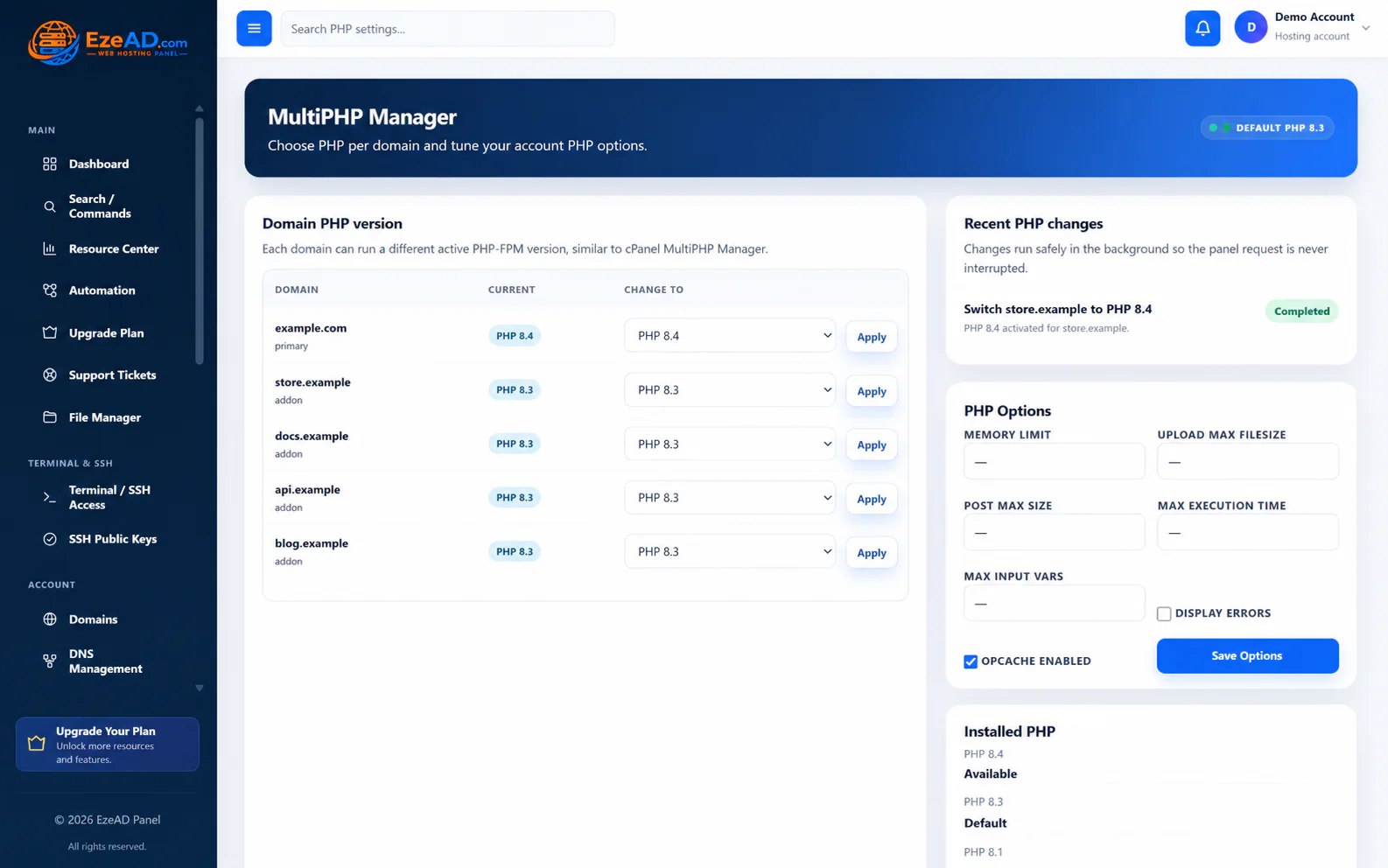
EzePanel's MultiPHP workflow lists available active runtimes and lets an authorized account queue a supported website PHP change. Its PHP options, database tools, account resource policies and monitoring provide related administration paths. The ordinary workflow should remain within the customer's ownership and package permissions.
Inspect the saved job result and the application's effective runtime after the change. Then test the routes that matter: authentication, uploads, database writes and scheduled tasks. A successful queue submission is not the same event as successful application operation. If a change fails, use its recorded details rather than repeatedly switching versions at random.
Available runtime branches depend on the supported installation and installed packages. Do not promise an arbitrary PHP version or every extension simply because another panel offered it. Keep the panel's protected runtime requirements separate from the PHP versions selected for hosted applications.
Treat backups and deployments as one workflow
Before changing a website's runtime, preserve a known copy of its files and database through an authorized process. Check what the backup includes and how you would recover the application into a separate target. Schema changes made by an application update may prevent code-only rollback; a panel update and an application deployment are different operations.
For the migration itself, preview the destination privately and coordinate write activity. Avoid running email notifications, payment callbacks or scheduled jobs twice while both copies exist. If application testing requires external integrations, use appropriate test settings and make sure the destination is not accidentally processing real customer actions.
EzePanel provides backup exports and schedules, but its reviewed database/account recovery scope remains a separate acceptance requirement. Use a verified recovery procedure appropriate to the application. Do not reduce this to a “backup completed” checkbox before making a potentially irreversible application change.
Run an application acceptance matrix
Write a small matrix for each important application: web PHP, CLI PHP, required extensions, database access, uploads, cron, HTTPS and a recovery rehearsal. Add the expected result and evidence location. This keeps a panel comparison tied to real service behavior and helps another operator repeat the decision.
A good Plesk replacement for PHP hosting lets your team control runtimes and ownership while understanding shared capacity and recovery limits. Explore EzePanel's supported Ubuntu trial if that operating model fits your portfolio. Use representative applications, review the published limits and choose based on the results rather than an attractive dashboard alone.
- Web and CLI PHP requirements are documented for every application.
- Necessary extensions and database versions are available and supported.
- Pool ownership and account permissions match customer boundaries.
- Worker budgets leave headroom for shared services and background tasks.
- Queued changes are followed through to application-level checks.
- Backup, database recovery and cutover procedures protect newer data.
Where to go next
Sources & further reading
Official documentation for the topics in this guide. Check current vendor requirements before a purchase or server change.